EasyManua.ls Logo

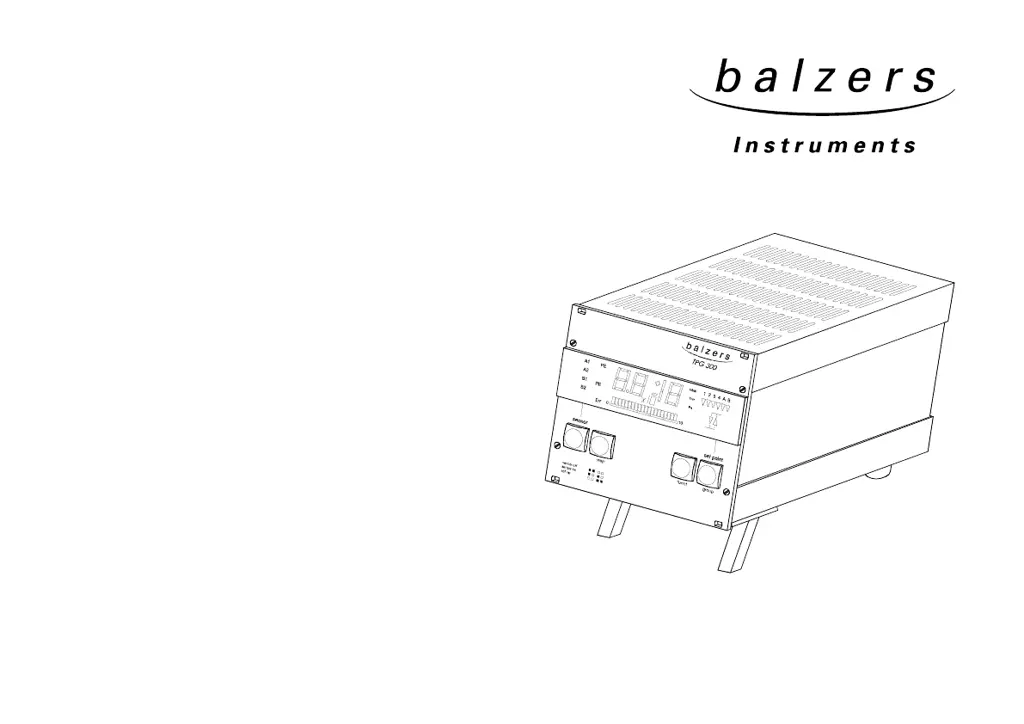
Balzers TPG 300 - User Manual

Balzers TPG 300
68 pages
Print Icon
To Next Page IconTo Next Page
Loading...
Operating manual
BG 800 300 BE / A (0105) 1
Total pressure gauge and controller
TPG 300
Configuration
Installation
Operation
Technical data
Program,pg48

Table of Contents

Questions and Answers

Summary

Safety

1.1 Safety Information

Information on preventing personal injury or equipment damage.

1.2 Explanation of Symbols

Explains danger, caution, and note symbols used in the manual.

System Overview

Installation

3.1 Mains Power Connection

Instructions for connecting the device to the main power supply.

3.2 Plug-in Boards

Information about factory configuration and handling of plug-in boards.

3.4 Installation in a 19 Rack

Guidelines for installing the unit in a 19-inch rack.

3.5 Use as Bench Top Unit

Instructions for using the unit as a benchtop device.

Operation

4.1 Measuring with the TPG 300

Procedures for operating the TPG 300 for measurements.

4.2 Front Panel

Description of the TPG 300 front panel controls and indicators.

4.3 Operating Modes

Explains the three operating modes: sensor, set point, and set up.

4.5 sensor Mode

Details about the 'sensor' operating mode and its functions.

4.6 set point Mode

How to select and use the 'set point' mode for parameter inquiry.

4.7 set up Mode

How to select and use the 'set up' mode for parameter inquiry and modification.

Technical Data

5.1 Mains Power Connection

Electrical specifications for connecting the unit to mains power.

5.2 Ambiance Conditions

Specifies admissible operating and storage conditions (temperature, humidity).

5.3 Basic Unit

Details about the basic unit's specifications like measurement range and display.

5.4 Dimensions and Weight

Physical dimensions and weight of the TPG 300 unit.

5.5 Plug-in Boards

Technical data for compatible measurement and interface plug-in boards.

Error Messages, Troubleshooting

6.1 Error Messages

Lists error messages, their possible causes, and corrections.

6.2 Troubleshooting

General troubleshooting guide for common problems.

Maintenance

7.1 Aligning the Pirani Measurement Circuits

Procedure for aligning the Pirani measurement circuits.

7.2 Changing the EPROM

Steps for changing the EPROM for firmware updates.

RS-232-C Interface

8.1 Installation and Connection Diagram

Diagram and instructions for installing and connecting the RS-232-C interface.

8.2 Data Transmission

Information on how data is transmitted via the RS-232-C interface.

8.3 Mnemonics

Glossary of mnemonics used for communication commands and parameters.

8.4 Examples of Programs

BASIC program examples for communicating with the TPG 300.

Accessories, Spare Parts

9.1 Basic Unit TPG 300

Lists basic unit accessories and their ordering numbers.

9.3 Mains Cables

Lists available mains cables and their ordering numbers.

9.6 Accessories for Installation in a Rack

Lists rack installation accessories and their ordering numbers.

Appendix

A: Information Main Display

Explains codes displayed on the unit's main display.

B: Literature

Lists related literature and documentation for the TPG 300 and accessories.

Index

Balzers TPG 300 Specifications

General IconGeneral
BrandBalzers
ModelTPG 300
CategoryController
LanguageEnglish