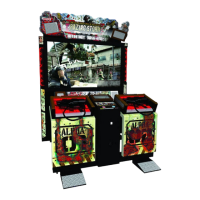
What to do if the Bandai Namco RAZING STORM shows 'NOT CONNECT USIO-PCB'?
- PPaul VasquezSep 10, 2025
Ensure the connector is securely connected. If the error persists, the USIO PC Board may be faulty and needs to be replaced.
What to do if the Bandai Namco RAZING STORM shows 'NOT CONNECT USIO-PCB'?
Ensure the connector is securely connected. If the error persists, the USIO PC Board may be faulty and needs to be replaced.
What to do if the Bandai Namco Game machine does not start up?
First, make sure the USB dongle is correctly inserted. Next, verify that the connector is properly connected. If the problem persists, the Rack Assy might be faulty, and you should contact your distributor.
Why does the Bandai Namco Game machine turn off in the middle of operation?
The main fuse may be opening due to an abnormal current flow. With the power off, replace the fuse and turn the power switch on again. If the fuse opens again, there is a problem in the machine, and you should contact your distributor.
What to do if there is no sound from the Bandai Namco RAZING STORM Game speaker?
First, adjust the sound volume to ensure it's not simply set too low. Then, check that the connector is properly connected. If the problem persists, the MCD AMP PC Board or the Rack Assy might be faulty and need replacement.
What to do if the Bandai Namco RAZING STORM projector does not display images?
Check if the connector that connects the projector to the Rack Assy is disconnected and connect it. If the issue continues, the projector or the Rack Assy may be faulty and need replacement.
What to do if the Bandai Namco Game machine does not operate stably or it malfunctions?
The supply voltage may be outside the range of 105 to 125 VAC. Disconnect large power-consuming equipment (air conditioners, large rides, etc.) from the same power line to ensure the game machine receives the specified power supply voltage.
What to do if the Bandai Namco RAZING STORM shows a SYSTEM ERROR?
The USIO PC Board may be faulty and needs replacement.
What to do if the Bandai Namco RAZING STORM shows a BACKUP MEMORY ERROR?
You can try to initialize the backup memory. If that doesn't work, the battery in the USIO PC Board may be dead and needs replacement, or the USIO PC Board itself may be faulty and require replacement.
What to do if the Bandai Namco RAZING STORM fluorescent lamp does not light?
Check if the connector is disconnected and connect it. If the fluorescent lamp still doesn't light, it may be burned out and need replacement. Also, the glow lamp may be burned out and need replacement.
How to fix USB-KEY ERROR (NO KEY) in Bandai Namco Game?
Insert the "Razing Storm" USB key.
Classifies safety and property damage risks based on severity.
Defines the role and qualifications of a 'technician' for manual tasks.
Highlights critical safety measures for operating and handling the machine.
Details the meaning and placement of safety warning labels on the machine.
Specifies environmental and location requirements for machine setup.
Details the required space for moving machine components.
Step-by-step guide for assembling the game machine components.
Instructions for servicing or accessing the front door of the machine.
Procedure for installing the USB dongle for game operation.
Proper method for connecting the power supply and ensuring grounding.
Information on using an optional bill acceptor for payment.
Steps and precautions for moving the machine on a level surface.
Guidelines for safe transport, including manual and vehicle methods.
Essential checks before powering on the machine for safe operation.
Explanation of game mechanics, controls, and rules for players.
Procedures for adjusting machine settings via switches and menus.
Accessing and using various test modes for diagnostics and settings.
Instructions for cleaning key components like gun sensors and LED filters.
Regular checks and upkeep tasks to ensure machine reliability and safety.
Solutions for common symptoms and error displays.
Detailed steps for replacing various internal parts and assemblies.
List of parts for the projector unit.
Parts breakdown for the left side pillar component.
Parts breakdown for the right side pillar component.
List of components for the power input and control box.
Parts for the illuminated signboard and its housing.
Components of the control panel's service interface.
Detailed parts for the gun tower structure.
List of parts constituting the player's gun accessory.
Components that make up the player's foot pedals.
| Brand | Bandai Namco |
|---|---|
| Model | RAZING STORM |
| Category | Game |
| Language | English |
Loading...