
 Need help?
Do you have a question about the BandLuxe E600 Series and is the answer not in the manual?
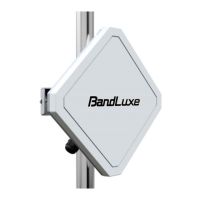
Key features of the LTE Advanced Outdoor CPE, including antenna and protection.
Lists all items included in the LTE Outdoor CPE package.
Details the Ethernet port, LEDs, SIM slot, and reset button functions.
Crucial factors for successful and safe CPE installation, including location and wiring.
SIM card handling, environmental limits, and pole selection guidance.
Step-by-step guide to mounting and grounding the CPE unit.
Steps for connecting Ethernet cables to the unit and computers.
Steps to access and log into the CPE's web management interface.
Displays signal strength, operator, and connection status.
Shows general system details like model, firmware, and MAC address.
Lists IP addresses, MAC addresses, and lease times of connected clients.
Tracks system activities and events.
Displays detailed mobile network status, signal quality, and traffic.
Configuration for local network IP address and DHCP server.
Settings for the wired LAN port, including speed and duplex.
Configuration for Wide Area Network connection types.
Displays current WAN connection configurations and status.
Activation of firewall module and DMZ configuration.
Settings for protection against Denial-of-Service attacks.
Manages MAC and IP address filtering for network access.
Blocks websites and filters web content like Java and ActiveX.
Process for updating the router's firmware.
Saves or restores router configuration settings.
Resets router to factory defaults and restarts the device.
Provides access to download user guides.
Answers to common questions about the CPE.
Details on physical, interface, connectivity, and router features.
EU Declaration of Conformity and FCC statements.
 General
| Brand | BandLuxe |
|---|---|
| Model | E600 Series |
| Category | Wireless Access Point |
| Language | English |

 To Next Page