Need help?
Do you have a question about the BandLuxe R558C Series and is the answer not in the manual?
Lists the key capabilities and specifications of the LTE/HSPA+ Wi-Fi Router.
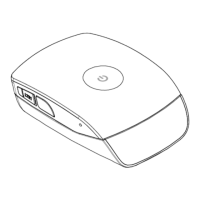
Details on the router's physical ports, buttons, and LED indicators.
Displays statistics for the router, including system and network information.
Tracks system activities and events after the router powers on.
Monitors network traffic, allowing users to reset the traffic flow.
Displays mobile internet statistics, signal quality, and SIM status.
Configures local time, hostname, and timezone for the router.
Sets the router's display language and style.
Manages router password and remote access settings.
Handles backup/restore of configurations and firmware updates.
Restarts the router's operating system.
Configures Dynamic Domain Name Service for domain name updates.
Manages configurations for LAN and WAN network interfaces.
Setup and adjustment of mobile internet connection settings.
Configures roaming connection and APN settings.
Displays automatic APN information for network connectivity.
Allows users to establish custom APN profile settings.
Resets the modem to its factory default settings.
Manages SIM card lock status and unlock codes.
Selects the preferred mobile network type (e.g., LTE, WCDMA).
Configures the router's local IP address and subnet mask.
Manages DHCP server settings for assigning IP addresses to clients.
Displays information on currently leased IP addresses.
Assigns fixed IP addresses and hostnames to DHCP clients.
Sets up fixed network routing paths.
Configures advanced WiFi parameters like mode and channel width.
Configures SSID, operating mode, and hiding the SSID.
Secures the wireless network with encryption and passwords.
Allows or blocks network access based on MAC addresses.
Adjusts WiFi connection parameters like fragmentation and WMM mode.
Configures WPS for quick WiFi connection setup.
Sets up port forwarding for specific applications and services.
Configures port forwarding for a range of ports.
Manages port triggering for data routing based on port numbers.
Adjusts firewall settings for network security.
Discards data from specific IP addresses for security.
Enables or disables Universal Plug and Play for network discovery.
Provides network analysis tools like Ping, Traceroute, and Nslookup.
Allows users to compose and send new SMS messages.
Receives and displays incoming SMS messages.
Displays SMS messages that have been sent.
Stores and manages SMS messages saved as drafts.
Configures service center address and SMS backup.
Provides instructions for initial setup and basic operation.
Provides comprehensive instructions for the router.
Explains how to connect to the router via Ethernet or Wi-Fi.
Provides the default username and password for router access.
Guides on how to enter the router's web-based configuration utility.
Diagnoses issues preventing connection via the built-in 3G module.
Steps to repair WiFi connection when GUI is inaccessible.
Steps to repair wired connection when GUI is inaccessible.
Instructions on how to adjust WiFi settings through the graphical interface.
Details the various wireless security encryption types supported.
Tips for maintaining a stable, long-term WiFi connection.
Addresses issues when the router's IP conflicts with office settings.
Checks signal strength and other factors affecting internet speed.
Guide to choosing a WiFi channel for optimal performance.
Resolves problems accessing the router via LAN due to manual IP settings.
Addresses potential conflicts when using VPN with the router.
Guides for PPPoE and Static IP setup for xDSL connections.
Methods to secure the router against unauthorized usage.
Instructions on where to input the SIM PIN code for router access.
Addresses issues with the U/SIM status display.
Steps to change the router's administrative password.
Guides for backing up and restoring router configurations.
Explains how to restart or factory reset the router using the button.
Methods to reset the router to its original factory default settings.
Addresses why SIM status may not change immediately after removal.
Details dimensions, weight, and physical interface features.
Information on supported cellular bands, data rates, and bandwidth.
Details cellular and WiFi antenna types and capabilities.
Lists supported routing, security, NAT, DNS, and other features.
Details WLAN standards, security types, and channel selection.
Explains the meaning of various LED indicators on the router.
Describes the web GUI and language support.
Information regarding compliance with European directives and norms.
Details FCC compliance and interference guidelines for the device.
Defines technical terms and acronyms used in the manual.
 General
| Brand | BandLuxe |
|---|---|
| Model | R558C Series |
| Category | Wireless Router |
| Language | English |


 To Next Page