EasyManua.ls Logo

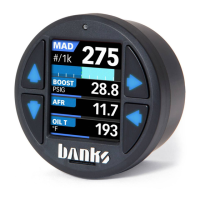
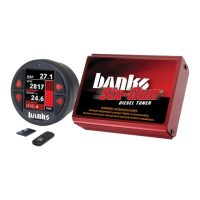
banks iDash 1.8 DataMonster User Manual

banks iDash 1.8 DataMonster
76 pages
To Next Page IconTo Next Page
Page #1 background imageLoading...
Page #1 background image
12/13/19 PN 97654 V.7
iDash
®
1.8
DataMonster
& Super Gauge
THIS MANUAL IS FOR USE WITH PART NUMBER(S): 66560, 66561, 66562,
66563, 61410
PROTECTED BY U.S. Patent 7,254,477 B1 U.S. Patent 7,593,808 B2
Gale Banks Engineering
546 Duggan Avenue • Azusa, CA 91702
(626) 969-9600 • Fax (626) 334-1743
Product Information & Sales: (888) 635-4565
Customer Support: (888) 839-5600
Installation Support: (888) 839-2700
bankspower.com
©2019 Gale Banks Engineering
OwnersManual
with Installation Instructions
See link below for iDash video references
(overview, installation, features...etc.)
www.bankspower.com/iDash

Table of Contents

Question and Answer IconNeed help?

Do you have a question about the banks iDash 1.8 DataMonster and is the answer not in the manual?

banks iDash 1.8 DataMonster Specifications

General IconGeneral
Display Size1.8 inches
Display TypeLCD
Data LoggingYes
Input Voltage12V
Mounting StyleDash mount
Mounting TypeAdhesive mount
CompatibilityOBD-II
Functionsdata logging
ConnectivityOBD-II

Summary

Disclaimer of Liability & Warranty

Gale Banks Engineering Limited Warranty

Details the warranty terms, coverage, and limitations for the product.

End User License Agreement (EULA)

Safety Precautions

Mounting & Connecting the iDash

Installing the OBDII Cable

Instructions for connecting the iDash via the OBDII port.

OBDII Connection Types

Details connections for different Banks modules and standard OBDII.

B-Bus Network Setup

Guide for setting up simple and advanced B-Bus networks with multiple iDashes.

Software Introduction and Interface

Gauge Selection

Parameter Selection

How to choose and display specific vehicle parameters on the gauges.

Data Logging (If Equipped)

Changing Data Logging Parameters

How to select which parameters to record for data logging.

Starting and Stopping Data Logs

Procedures for initiating and ending data recording sessions.

Diagnostics

Vehicle Diagnostics Trouble Codes (DTC's)

Reading and clearing vehicle diagnostic trouble codes.

Manual DPF Regeneration

Procedure for manually initiating Diesel Particulate Filter regeneration.

Alerts

Shift Light

Banks Modules (If Connected)

Derringer Tuner Settings

Adjusting power levels and settings for the Derringer tuner.

Six-Gun & EconoMind Tuner Settings

Configuring power levels for Six-Gun and EconoMind tuners.

Banks SpeedBrake Operation

Understanding and operating the Banks SpeedBrake system.

Settings

Firmware Updates

Updating iDash 1.8 and Banks Modules

Procedure for installing firmware updates onto the iDash and connected modules.

Troubleshooting

iDash 1.8 Not Powering On

Steps to resolve issues where the iDash does not power up.

Gauge Values Displaying '--'

Troubleshooting steps for when gauge values are not displayed correctly.

Intermittent OBDII Connection Issues

Resolving problems with unstable or lost OBDII communication.

Related product manuals