EasyManua.ls Logo

Barco ImagePRO-3G - ImagePRO-3 G Connectivity Diagram

Barco ImagePRO-3G
4 pages
Print Icon
To Next Page IconTo Next Page
To Previous Page IconTo Previous Page
Loading...
The ultimate video problem solver
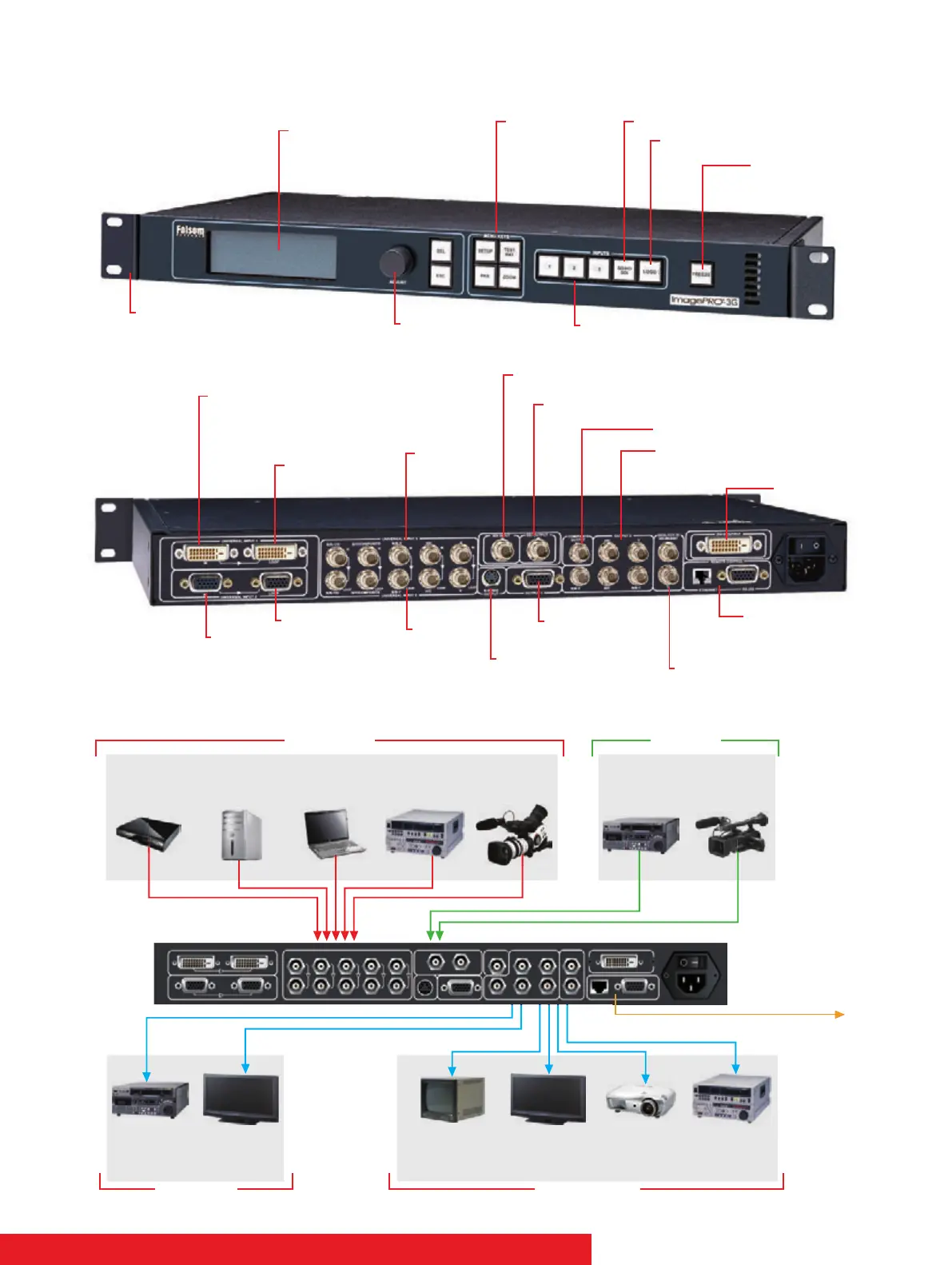
ImagePRO-3G connectivity diagram
Electro-Luminescent Display
for easy display of all menu
items
Universal analog/DVI input
Universal analog input
Universal
Analog input
Universal analog input
Analog output
S-Video output
Input 1 Loop
Composite video output
Genlock In/Through
RGB/Component/Composite
video (HD or SD)
RS-232/485 and
Ethernet remote
control
3G/HD/SD SDI
3G/HD/SD SDI
Input 2 Loop
Menu Keys
Allows user control
of all menu functions,
including set-up
SDI/HDSDI Source Select
Logo Store/Recall
Source Freeze
freezes selected
video source
Backlit Input Selection
buttons
Easy adjustment of all
set-up parameters
Rack mount
hardware
DVI output
Input 3 Loop
PC/Mac
(DVI)
DVD Player
(NTSC/PAL)
PC
(VGA/UXGA)
VTR
(NTSC/PAL/SDI)
VTR
(NTSC/PAL)
Video
Projector
Plasma
Display
Monitor
(NTSC/PAL)
Camera
(NTSC/PAL/SDI)
Serial Control
(RS232/Ethernet)
HD Player
HD Recorder
HD Camera
HD Monitor
VIDEO INPUTS HD INPUTS
VIDEO OUTPUTS
HD OUTPUTS

Related product manuals