Step 3 – Unpack and install the Logitech Meetup Conference cam
More in this how-to video: Logitecg Meetup Setup Video
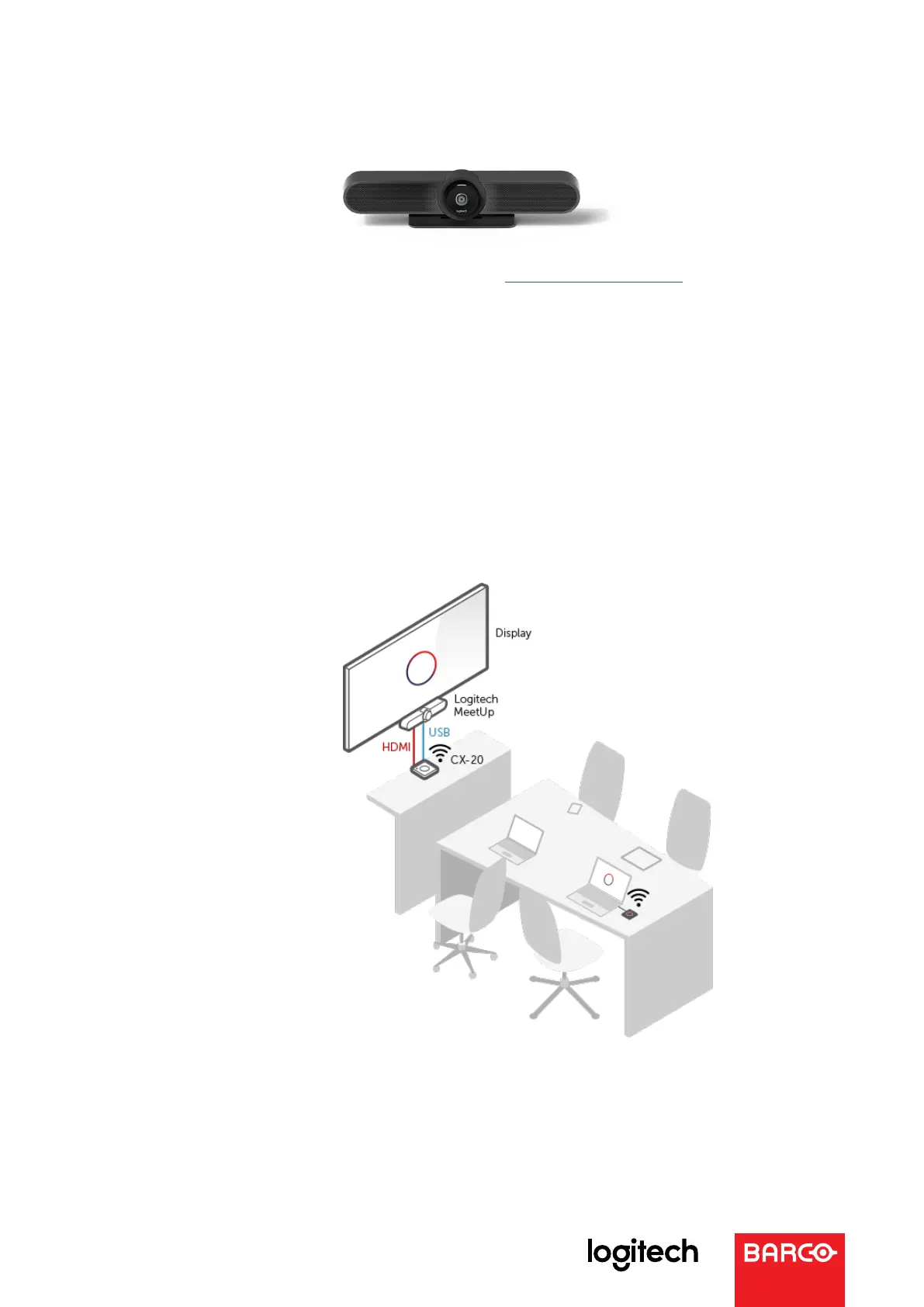
Important note: in this configuration, connect the USB cable to the ClickShare unit
(not the PC) and connect the HDMI cable from the ClickShare unit (not the PC) to
the display
Step 4 – Connect the devices together
Now you go to the most important part of the setup: connecting all the devices.
A step-by-step guide helps you to make all connections in the right way.
Please make sure that:
• A USB cable is connected from the Logitech Rally Display Hub
to the ClickShare unit
• The HDMI cable is connected from the ClickShare unit to the display
In any doubts, please refer to the diagram below:



 To Next Page