EasyManua.ls Logo

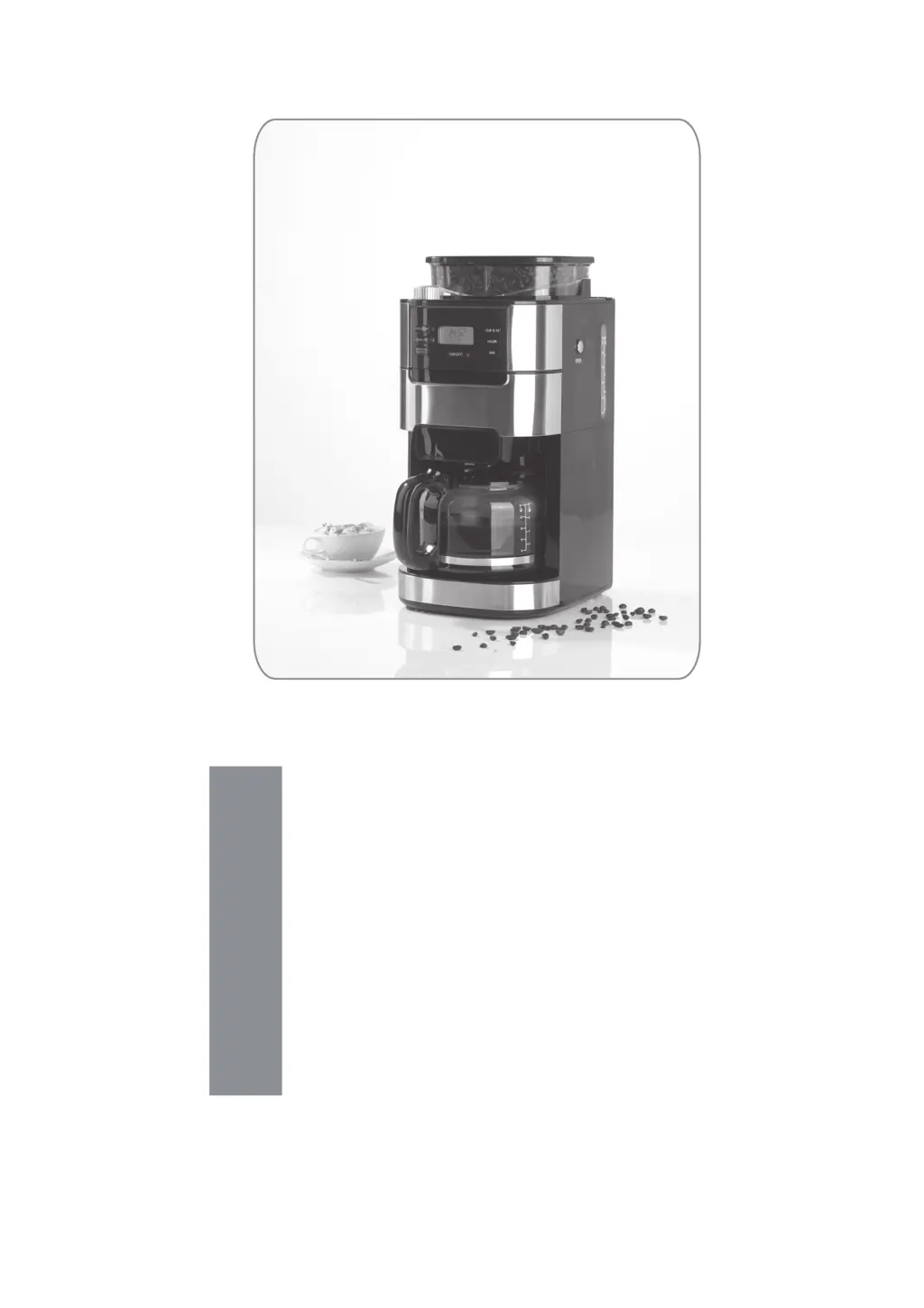
Barista CM1025AE-GS - User Manual

Barista CM1025AE-GS
64 pages
Go to English
Print Icon
To Next Page IconTo Next Page
Loading...
Z 04289 M DS V1.1 0318
04289
DE
Gebrauchsanleitung
ab Seite 3
EN
Instruction manual
starting on page 18
FR
Mode d’emploi
à partir de la page 32
NL
Handleiding
vanaf pagina 48

Questions and Answers

Summary

Explanation of Symbols

Danger Symbols

Risks of injury from electricity or fire. Follow safety instructions.

Caution: Hot Surfaces

Warning about hot surfaces.

Caution: Fragile

Warning about fragility.

Food Safe Symbol

Indicates suitability for food contact.

Supplementary Information Symbol

Indicates additional information.

Explanation of Signal Words

DANGER Warning

Warns of serious injuries and danger to life.

WARNING Warning

Warns of possible serious injuries and danger to life.

CAUTION Warning

Warns of slight to moderate injuries.

NOTICE Warning

Warns of damage to property.

Intended Use

Primary Use

Device is intended for preparing coffee and grinding coffee beans.

Usage Restrictions

Coffee mill only for beans; device only as described.

Warranty Exclusions

Defects from improper handling excluded from warranty.

Safety Instructions

General Safety Guidelines

Adhere to safety instructions for safe operation.

Child Safety and Supervision

Children aged 8+ may use under supervision; keep young children away.

Hot Surfaces Warning

Device and accessories are very hot during and after use.

Overfilling Prevention

Never exceed the maximum fill level to prevent overflow.

External Timer Prohibition

Device not designed for external timers or remote controls.

Electrical Safety Precautions

Do not immerse, handle with wet hands, or use in high humidity.

Connection and Cable Safety

Connect to properly installed sockets; avoid extension cables.

Scalding Hazard Warning

Avoid contact with steam; do not open lids during brewing.

Handling Hot Parts and Liquids

Caution when removing filter inserts and handling hot liquids.

Moving Parts Hazard

Keep clothing away from grinder shaft and moving parts.

Trip Hazard Management

Ensure mains cable does not present a trip hazard.

Damaged Jug Warning

Do not use the coffee jug if its handle is loose or damaged.

Fire Prevention

Avoid flammable materials, overloading sockets; use fireproof blanket if needed.

Device Protection Notes

Ensure correct assembly; protect from heat, moisture, impacts.

Items Supplied and Device Overview

Packaging Safety Warning

Keep children and animals away from packaging material.

Rating Plate Integrity

Never remove the rating plate and any possible warnings.

Unpacking and Damage Check

Unpack items, check for completeness and transport damage.

Device Component Identification

Identifies all parts of the coffee maker with numbered labels.

Control Panel Overview

Display Screen

Details about the display and its illumination.

Button Functions

Explains the purpose of each button on the control panel.

Control Lamp Indicators

Describes the meaning of indicator lights next to buttons.

Coffee Strength Selection

How to select weak, medium, or strong coffee.

Cup Amount Selection

How to set the number of cups to brew.

Before Initial Use

Setup Location and Clearance

Place device on a flat, heat-resistant surface with adequate side and top clearance.

Furniture Steam Protection

Avoid placing below wall units; rising steam can cause damage.

Initial Cleaning Steps

Wipe device, rinse jug, filter, and spoon with mild detergent.

Trial Brewing Run

Perform a trial run with coffee beans to remove residues.

First Use Odour Explanation

Production residues may cause smoke/odour during first use.

Handling and Operation Notes

Water Tank Usage Rule

Only use water in the water tank; never milk or other liquids.

Filter Overfill Prohibition

Never overfill the permanent filter.

Display Lighting Behavior

Time Setting Procedure

Setting the Hours

Use the Std (hr) button to set the hours.

Setting the Minutes

Use the Min button to set the minutes.

Filling the Water Tank

Adding Water

Pour the required quantity of water into the tank for the desired cups.

Water Consumption Logic

All water in the tank is used regardless of cup or strength settings.

Adding Coffee Beans

Bean Compartment Filling

Fill the coffee bean compartment with beans, do not overfill.

Preventing Bean Contamination

Ensure water tank lid is closed to prevent beans falling into water.

Grinding Fineness Adjustment

Filter Insertion Steps

Number of Cups Selection

Coffee Strength Adjustment

Keep-Hot Functionality

Drip Stop Mechanism

Preparation for Brewing

Low Water Operation Warning

Do not operate without sufficient water; device auto-switches off.

Glass Jug Handling and Placement

Use only supplied jug; avoid wet/cold surfaces to prevent shattering.

Brewing with Coffee Beans Guide

Step-by-step guide for making coffee using coffee beans.

Brewing with Coffee Beans

Filter Compartment Operations

Steps for opening, inserting filter, and closing the filter compartment.

Jug Placement on Hotplate

Ensure the coffee jug is correctly positioned on the hotplate.

Starting the Brewing Process

Press Start/Stop to begin grinding and brewing.

Aborting the Brewing Cycle

Press Start/Stop again to stop the brewing process.

Brewing Cycle Completion

Device signals completion, activates keep-hot function, then standby.

Brewing with Coffee Powder

Adding Coffee Powder

Measure and add coffee powder to the filter.

Disabling Grinder

Switch off the grinder using the Mahlwerk Aus button.

Brewing with Coffee Powder

Starting Powder Brewing

Press Start/Stop to begin brewing with coffee powder.

Aborting Powder Brewing

Press Start/Stop to prematurely stop the brewing process.

Completion of Powder Brewing

Device signals completion and enters keep-hot mode.

Preset Time Brewing

Preparing for Timed Brewing

Prepare machine, add ingredients, set preferences before activating timer.

Setting the Start Time

Use Std and Min buttons to set the desired brewing start time.

Activating the Timer

Press the Timer button to activate the preset time function.

Timed Brewing with Powder Note

Ensure grinder is off when using timed brewing with powder.

Deactivating Preset Time

Cleaning and Care Procedures

General Cleaning Precautions

Follow safety instructions; avoid abrasive cleaners.

Cleaning and Care

Cleaning Device Components

Clean filter, jug, bean compartment, and housing after use.

Descaling the Device

Instructions on when and how to descale for optimal performance.

Device Storage Instructions

Troubleshooting Guide

Problem Diagnosis

Check for solutions before contacting customer service.

Electrical Repair Prohibition

Do not attempt to repair defective electrical devices yourself.

Troubleshooting: No Display

Solutions for when nothing is shown on the display.

Troubleshooting

Troubleshooting: Fuse Triggered

Address issues related to a triggered fuse in the fuse box.

Troubleshooting: No Coffee Brewed

Solutions for when the device does not brew any coffee.

Troubleshooting: Jug Overflow

Causes and fixes for water running out or the coffee jug overflowing.

Troubleshooting: Slow Coffee Flow

Solutions for when the coffee runs very slowly into the jug.

Troubleshooting

Troubleshooting: Weak Coffee

Causes and fixes for the coffee being too weak.

Troubleshooting: Timer Not Working

Solutions for when the timer function does not start the device at the set time.

Troubleshooting: Excessive Steam

Causes and fixes for a large amount of steam produced during brewing.

Troubleshooting: Unpleasant Smell

Solutions for an unpleasant smell detected during use.

Technical Specifications

Disposal Information

Packaging Disposal Guidelines

How to dispose of packaging material in an environmentally friendly manner.

Device Disposal Guidelines

How to dispose of the device at a recycling centre for electronics.

Barista CM1025AE-GS Specifications

General IconGeneral
TypeEspresso Machine
Water Tank Capacity1.25 Liters
MaterialStainless Steel
Product TypeEspresso Machine
Power SourceCorded Electric
Voltage220-240 V
Pump Pressure15 bar
FeaturesMilk Frother
Special FeaturesMilk Frother
ColorBlack