10 Barracuda Backup Service Administrator’s Guide
Deployment Options Overview
The Barracuda Backup Service includes a full local data backup, which is performed by the Barracuda
Backup Server, and multiple options for offsite data storage. The local backup can be sent to the
Barracuda Cloud Storage which replicates data at two offsite locations, to one or more other private
Barracuda Backup Servers for site-to-site replication, or a hybrid approach may be taken where the
data is sent to a combination of the Barracuda Cloud Storage and one or more Barracuda Backup
Servers. All of these approaches provide the best of both worlds – onsite backups for fast restore times
and secure offsite storage for disaster recovery.
Deployment Options
In all deployment scenarios, the Barracuda Backup Server is positioned between the firewall and the
systems to be backed up, and the data from your client and server systems is first backed up to the
Barracuda Backup Server.
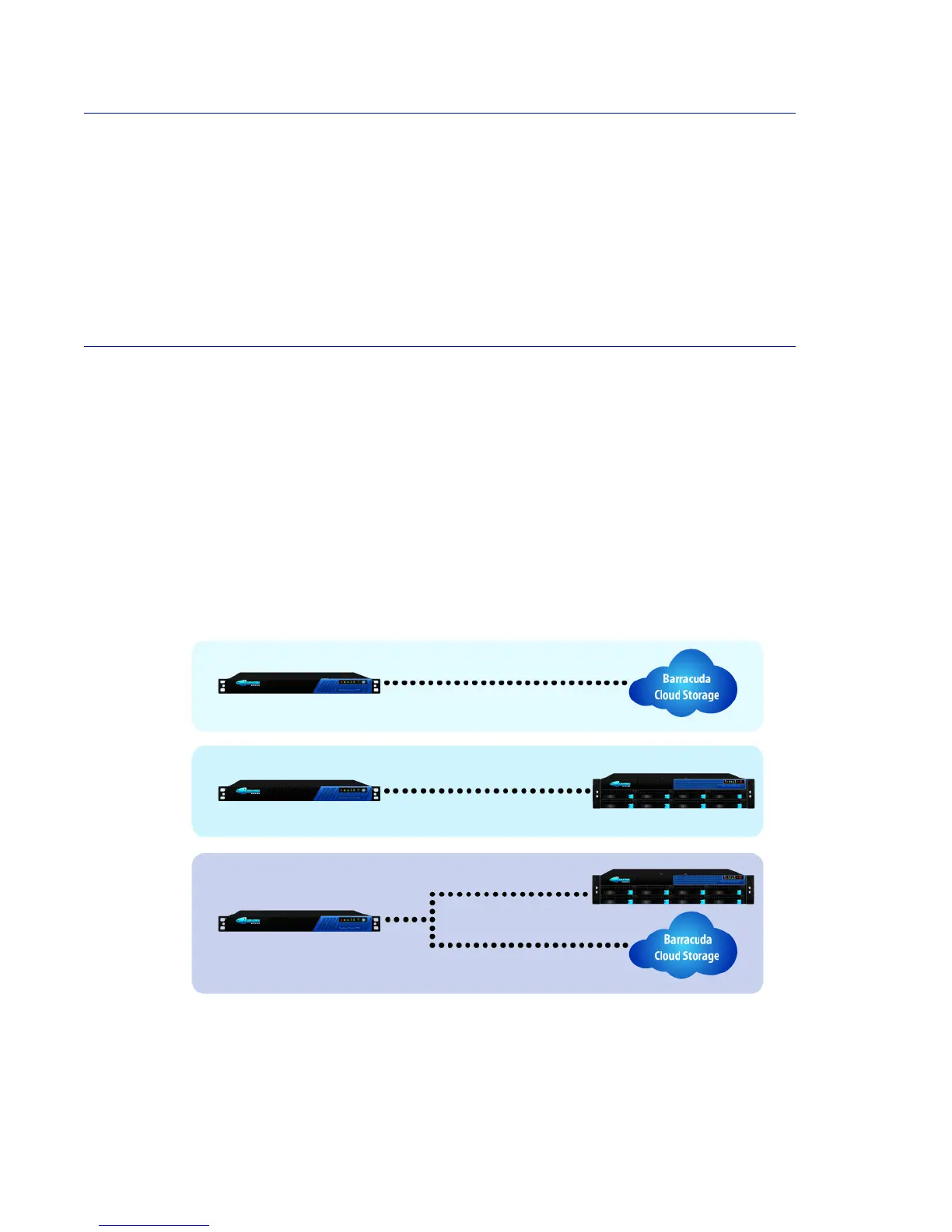
As shown in Figure 2.1, the data can then be backed up again to:
• Barracuda Cloud Storage, which is maintained by Barracuda Networks.
• One or more Barracuda Backup Servers, which ideally would be located in different sites. This
option is called site-to-site replication.
• Or even a combination of the two.
Figure 2.1: Backup Options



 To Next Page