EasyManua.ls Logo

Barracuda NG Firewall F18 - User Manual

Barracuda NG Firewall F18
5 pages
Print Icon
To Next Page IconTo Next Page
Loading...
Barracuda CloudGen Firewall
Barracuda NG Firewall F18 Revision A 1 / 5
Barracuda NG Firewall F18 Revision A
https://campus.barracuda.com/doc/46203580/
Opening your Barracuda Networks appliance or removing its warranty label unless instructed to
do so by Barracuda Networks support will void your warranty and hardware support.
Barracuda Networks Appliance Safety Instructions
Always use the power supply shipped with the appliance.
General
Revision A
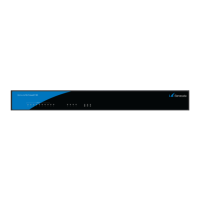
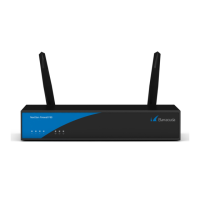
Front
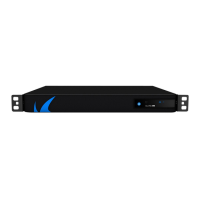
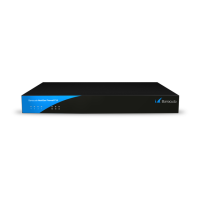
Back
Default Port Configuration
Label OS Notation Speed/Type Management Port
PORT1 port1 10/100/1000 MBit RJ45 X
PORT2 port2 10/100/1000 MBit RJ45
PORT3 port3 10/100/1000 MBit RJ45
PORT4 port4 10/100/1000 MBit RJ45
Hardware Specifications
Component Specifications
CPU Intel Atom
Memory 2 GB
Question and Answer IconNeed help?

Do you have a question about the Barracuda NG Firewall F18 and is the answer not in the manual?

Summary

Barracuda NG Firewall F18 Revision A Introduction

General Information

General information about the Barracuda NG Firewall F18.

Default Port Configuration

Configuration details for the network ports on the appliance.

Hardware Specifications

Detailed specifications of the firewall's hardware components.

Barracuda NG Firewall F18 Status and Connectivity

Wall Mount Kit

Information about the included wall mount kit and its usage.

Status LED and Acoustic Signals

Details on status LEDs and acoustic signals for appliance state.

Serial Console Port

Parameters for establishing a console connection via an RJ45 serial cable.

Barracuda NG Firewall F18 Document Figures

Figures Reference

References to figure images included in the document.

Overview

The Barracuda CloudGen Firewall F18 Revision A is a desktop appliance designed for network security. It features a fanless cooling system, contributing to quiet operation and potentially increased reliability by reducing moving parts.

Important Technical Specifications:

  • Processor: Intel Atom
  • Memory: 2 GB
  • Mass Storage:
    • 30 GB (until March 2017)
    • 50 GB (since March 2017)
  • USB Ports: 4x USB 2.0
  • Network Ports: 4x 10/100/1000 MBit RJ45 Ethernet ports (PORT1, PORT2, PORT3, PORT4)
  • Dimensions (W/D/H): 10.79 x 6.38 x 1.73 inches (274 x 162 x 44 mm)
  • Net Weight: 1.27 kg
  • Power Supply Input Voltage: 100 - 240 V, AC
  • Power Supply Output Voltage: 19 V, DC
  • Power Supply Frequency: 50 Hz - 60 Hz
  • Power Supply Watts: 45 W
  • Operating Temperature: 0 °C to +35 °C
  • Storage Temperature: -20 °C to +70 °C
  • Relative Humidity: 5% - 95%, non-condensing
  • Certifications: CE, FCC, ROHS
  • Wi-Fi: Not specified (indicated by a dash)

Usage Features:

The device is equipped with various LEDs and acoustic signals to indicate its operational status.

Front Panel Indicators:

  • Power LED (Blue):
    • Steady blue: Appliance is plugged in and on.
  • Disc LED (Green):
    • Blinking green: Appliance is accessing internal storage.
  • Status LED (Red):
    • Off (with Power LED on): Box is running normally, or installation has finished successfully.
    • Steady red: Appliance is halted, may be disconnected, or an error occurred preventing the Barracuda NG Firewall from entering the up state.
    • Blinking slowly (1/s interval): Normal installation, appliance is booting, shutting down, or performing a system update.
    • Blinking fast (4/s interval): Error during installation, or appliance is in ART mode.
  • Port LEDs (Green):
    • Blinking green: Port in use (data transfer).

Back Panel Indicators:

  • Power Button LED: (Functionality not explicitly detailed, but likely indicates power status similar to the front panel Power LED).
  • Port LEDs (Green):
    • Left blinking: Port in use (data transfer) – Yellow (10/100 Mbps).
    • Right steady: Port is on.

Acoustic Signals:

  • 1 Beep (.): Appliance is booting.
  • 3 Beeps (...): Installation completed successfully; appliance is halted for reboot. After reboot, one beep will again indicate booting.
  • 3 Long Beeps (___): Error during installation.

Serial Console Port:

The device includes an RJ45 serial console port for direct configuration. To establish a connection, the serial port on the terminal must be configured with the following parameters:

  • Baud: 19200
  • Bits: 8
  • Stop bit: 1
  • Parity: None
  • Handshake: None

Management Port:

PORT1 is designated as the management port, indicated by an 'X' in the "Management Port" column of the default port configuration table.
Maintenance Features:

  • Wall Mount Kit: The appliance is shipped with a wall mount kit, allowing for flexible installation. A Barracuda NG Firewall Wall Mount Jig PDF is available as a template for drilling holes.
  • Rack Mount Bracket (Optional): L-Shape rack mount brackets (BPRAC-04 / BPIRAC-04) are not included in the packaging but can be ordered separately.
  • Warranty Information: Opening the appliance or removing its warranty label without instruction from Barracuda Networks support will void the warranty and hardware support. This emphasizes the importance of professional service for internal maintenance or repairs.
  • Power Supply: Always use the power supply shipped with the appliance to ensure proper operation and maintain warranty.
  • Hardware Specifications Note: The hardware specifications are subject to change due to technological advancements. The listed components may not always reflect the current hardware configuration of the appliance as delivered.

Barracuda NG Firewall F18 Specifications

General IconGeneral
BrandBarracuda
ModelNG Firewall F18
CategoryFirewall
LanguageEnglish

Related product manuals