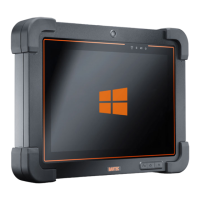
Agile S NI / Agile S
Installation instruction: Windows 10 IoT Enterprise operating system
Subject to technical changes.
09/2020
Subject to technical changes.
12/2021
Property damage through interrupted power supply!
Verify that Tablet PC is running on AC power during the entire update process. Do not unplug the AC
adapter or any other connected external devices during the update process.
Do not perform any actions on the Tablet PC during the installation that could interrupt the installation
process. Do not restart or turn off the Tablet PC during the installation as it may cause permanent
damage to the Tablet PC.
The instructions in this Installation instruction are valid for following devices and operating
system version
Agile S NI - Type: B7-A2B*-****/********
Agile S - Type: G7-A0B*-****/********
Windows 10 IoT Enterprise LTSC
Version 2019 - Build 1809
Operating system name BARTEC
2.1 Requirements
Requirements for the Agile S NI / Agile S series to install the operating system:
1. Tablet-PC Agile S NI / Agile S
2. Docking Station 03-9914-0017 for Tablet PC Agile S NI / Agile S (recommended)
or Docking Station 03-9914-0022 for Tablet PC series Agile
3. Power supply 03-9911-0040
4. AC power cable
5. USB stick with operating system
Standard non-Ex USB stick (8 GB or higher)
Attention:
A standard non-Ex USB stick can be used on the USB port of the Agile S / S NI and
also in the USB port of the docking station.


 To Next Page
 Loading...