bartesian.com
|
9
How to Switch Spirits
Next
Remove bottle and place
cup in dispense area
Select
G
R
V
Switch Bottle & Select
Spirit
W
1
T
Before making a cocktail, check to see if you have the correct spirits installed on the
base. If the new cocktail uses a spirit not displayed on the Home screen, follow the
instructions below for changing the spirit.
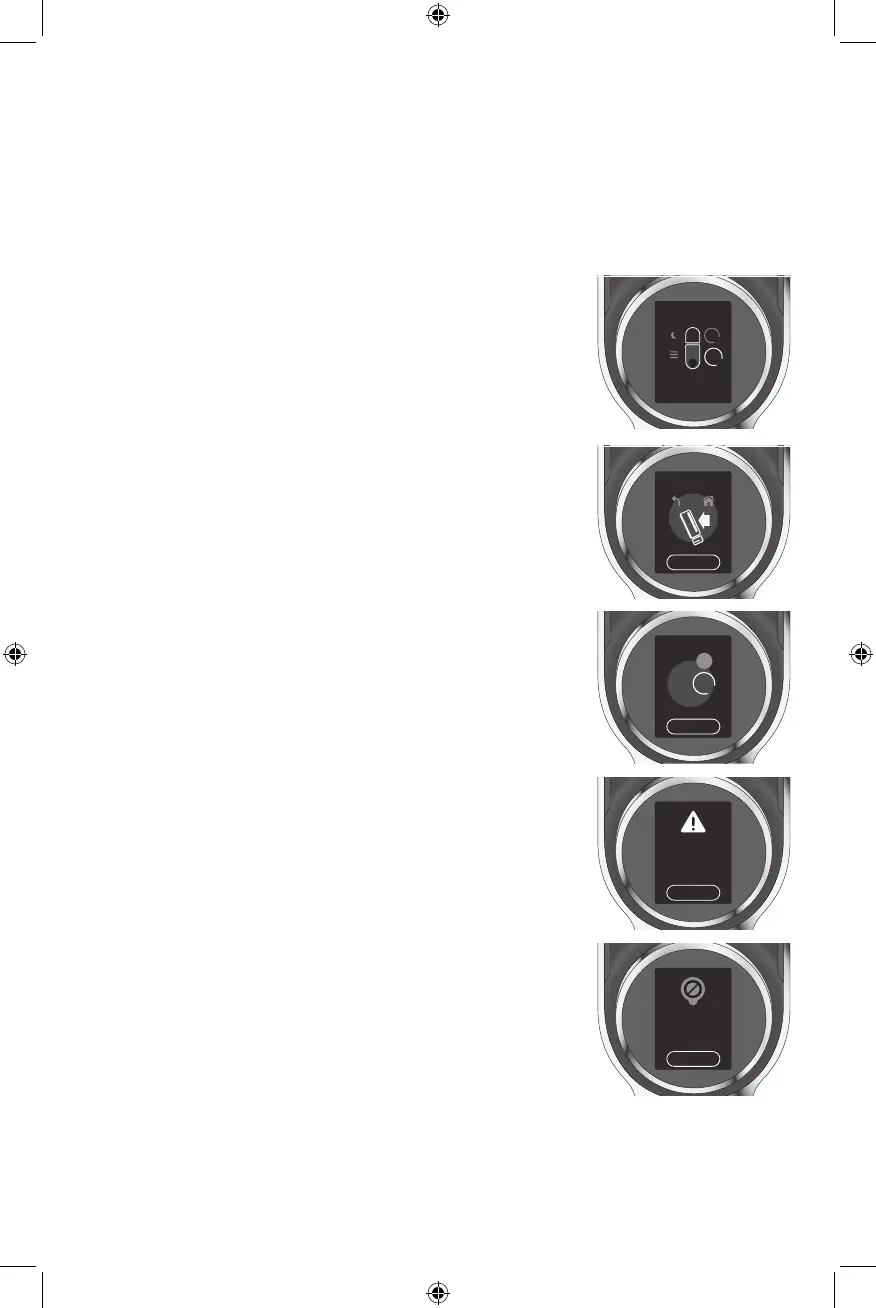
1. Place a glass under the Dispenser. From the Home
screen, rotate the Selector Dial to highlight the Spirit
Port to be changed.
Insert your capsule
and close the lid
V
1
T
2
Next
The spirit required for
this drink capsule is not
installed. S elect ‘Next’
and replace with the
appropriate spirit.
Back
Drink capsule requires 3
or more spirits and is not
compatible with this
device.
2. Follow the prompts to remove the old spirit and
purge the line of spirits.
3. Rotate Selector Dial until the correct spirit is shown
in the highlighted circle. Press Next and follow
prompts to insert the new bottle. When operation
is complete, screen will go back to Home. From the
Home screen, you are ready to make your cocktail.
4. If you have punctured a capsule with the incorrect
spirit set in the Cocktail Machine, you will see a
prompt indicating that you do not have the correct
spirit to make the Cocktail correctly. Follow the
prompts to reset the Spirit Bottle Port to change the
spirit.
NOTE: In this case, the Cocktail Machine will NOT
purge the old spirit. A small amount of the previous
spirit will be included in your cocktail.
IMPORTANT: This Cocktail Machine can only make
cocktails with up to 2 spirits. If the cocktail requires
more than 2 spirits, the cocktail will NOT be poured.


 To Next Page