- 31 -
5.2 Operation
Preparation
Before the first use, clean the device thoroughly following the instructions in
section 6 „Cleaning“.
Connect the device to a single grounded socket.
Turn the device on using the ON/OFF switch located on the front of the lower casing.
The digital display will show the set temperature value, and the LCD cooling indicator
will come on.
The device will be cooled down to the factory-set temperature.
Before placing beverages and food products, the device should reach the set
temperature.
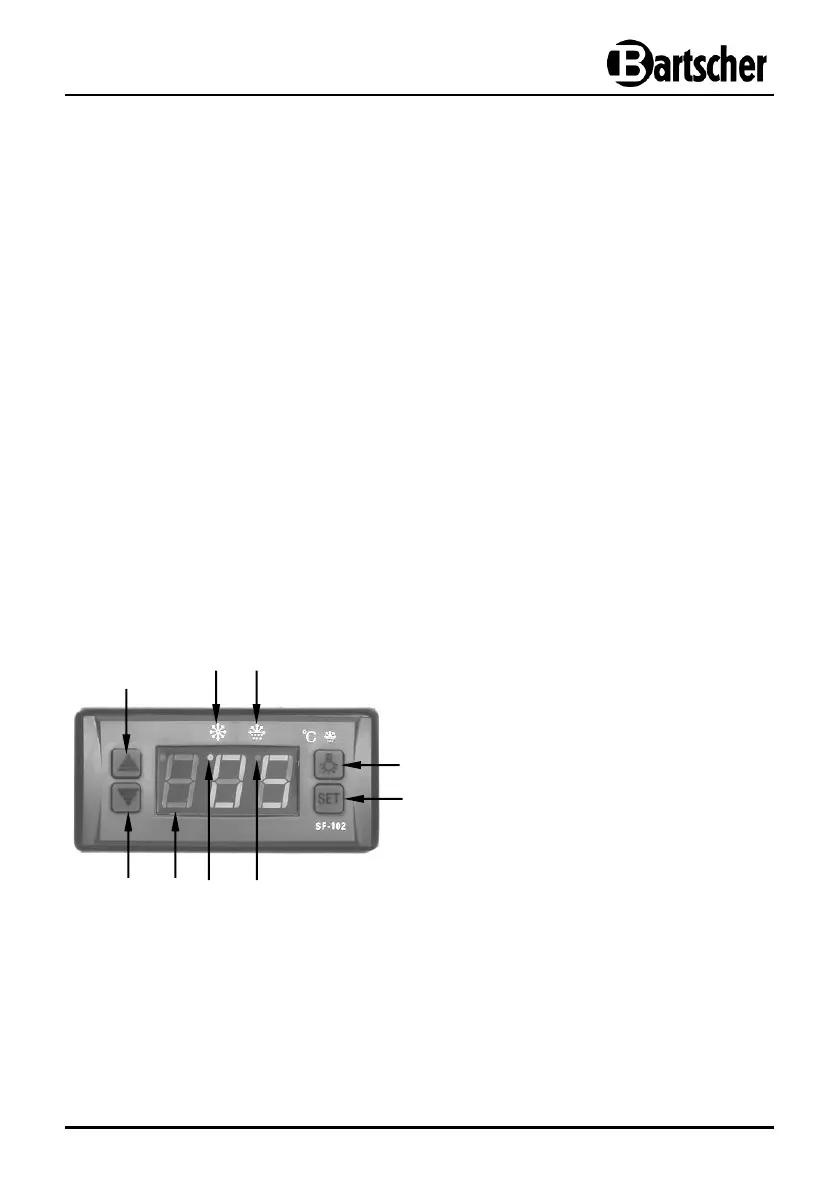
Control elements, button functions, indicators
Digital temperature regulator and ON/OFF switch are located on the front side of
the lower casing.
Digital temperature regulator
Temperate decrease button
Temperate increase button
LCD indicator – cooling mode
LCD indicator – defrost mode


 To Next Page