Installation and operation
14 / 19 A300117
When pressed, the „ “ key on the control panel activates the lighting of the digital
display. If the lighting is activated, it is lit until an object is put on the weighing
platform.
Selection of weighing unit
To select the weighing unit, press the „ “ key continuously, until the digital
display shows the required weighing unit next to the indicated weight (e.g.: kg, g, lb
or oz).
Conversion Table
Weighing
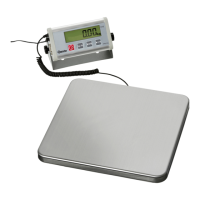
1. Press the ON/OFF mains power switch, to switch the kitchen scale on.
2. When „0.000“, as well as the „ “ stability indicator appear on the digital display,
the weighing of the objects can be started.
3. If other indications appear, press the „ “ to display „0.000“.
If no container is used for weighing:
1. Put the object/objects to be weighed on the weighing platform.
When the indication is stable the „ “ and the weighing value with the selected
weighing unit are displayed on the digital screen (the weighing unit is displayed next
to the weighing value).
If a container is used for weighing:
1. Put the empty container on the weighing platform.
2. Wait until the „ “ stability indicator appears.
3. Then press the „ “ key to set „0.000“.
When the container is removed from the weighing scale, the digital display shows a
negative value.
4. Put the object/objects for weighing in the container and put them all on the
weighing platform.
When the „ “ stability indication is shown, the net weight is displayed (the weight
without the container).



 To Next Page