- 24 -
• Close the oven door with the door handle.
NOTE!
Always heat the oven for pizza, that way you can avoid the deposit of food on the
walls of the baking chamber.
• Set the desired temperature (100 °C - 230 °C) usin g the temperature controller.
• Set the timer for 10 minutes to heat up the device. After setting the time the red control
light on the control panel turns on.
• After the set time (timer in the „ “ position) the pizza oven is hot.
Baking pizza
• Open the door using the door handle.
WARNING! Hot surface!
The external surfaces of the pizza oven are very hot. Do not touch the surface!
Open and close the door using the handle!
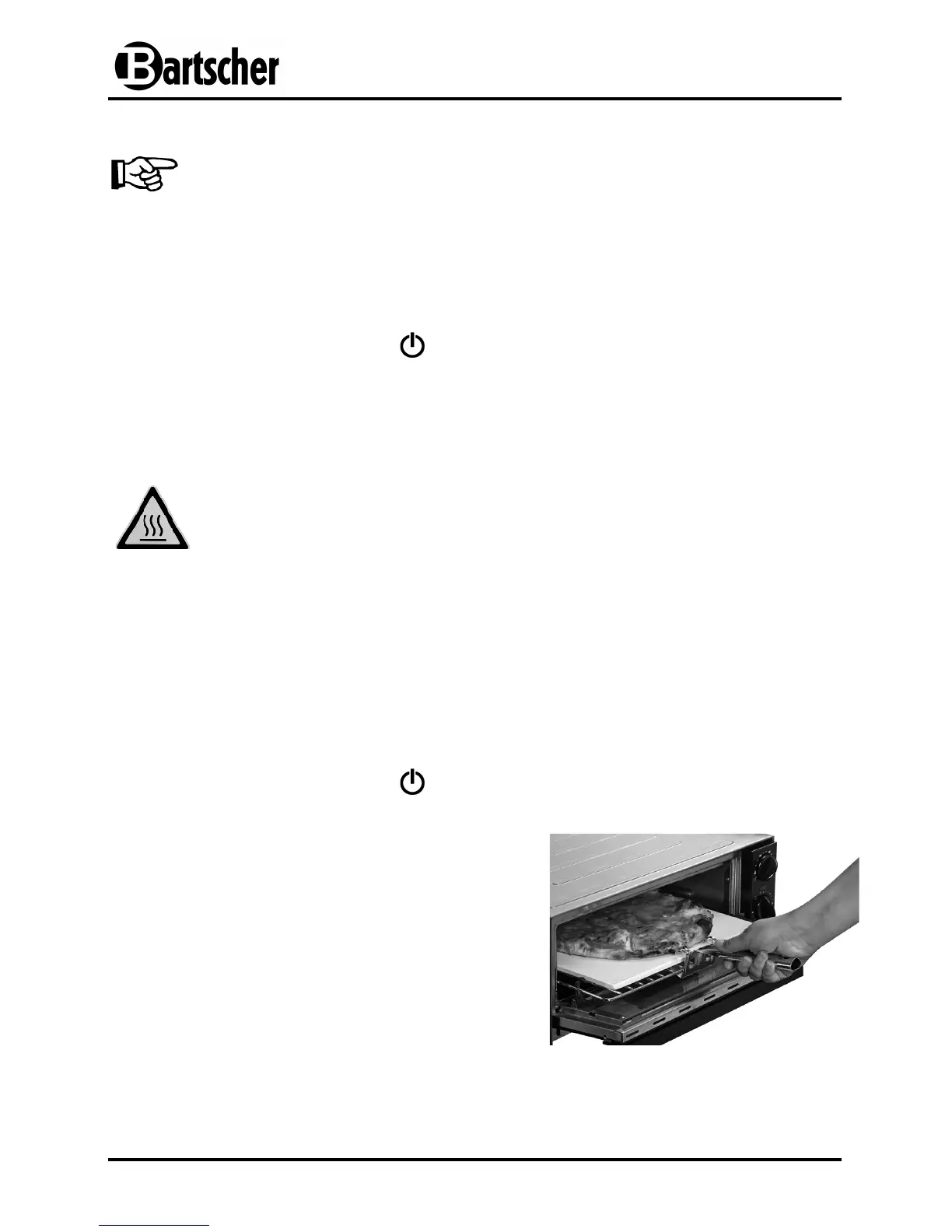
• Slide the rack with the ceramic stone using the grill handle and place the pizza on
the ceramic stone.
• Close the pizza oven door.
• Set the timer to the desired baking time (60 minutes).
• After setting the desired baking time the red light on the control panel turns on and
the pizza starts to bake.
• After the set time (timer in the „ “ position) the baking is completed. The red light
turns off. The power supply is interrupted and the device is switched off.
• Open the door and pull out of the oven the
rack with the pizza on the ceramic stone using
the handle.
• Place the grill on a fireproof, inflammable pad.
• Cut the pizza with the pizza cutter into slices
and serve.
• Disconnect the appliance from the outlet (pull
the plug!), if the device is not used.


 To Next Page