10 - 12
6. Downloading Designs (Direct Downloading)
Instructions on downloading designs that are saved on the server
Designs that will be downloaded need to be stored in the correct folders before downloading.
Set the Network server application to Direct Download Mode beforehand.
*Refer to the
LEM-Server Instruction Manuals
for software operation.
6-1. Searching and Downloading a Design by its Name
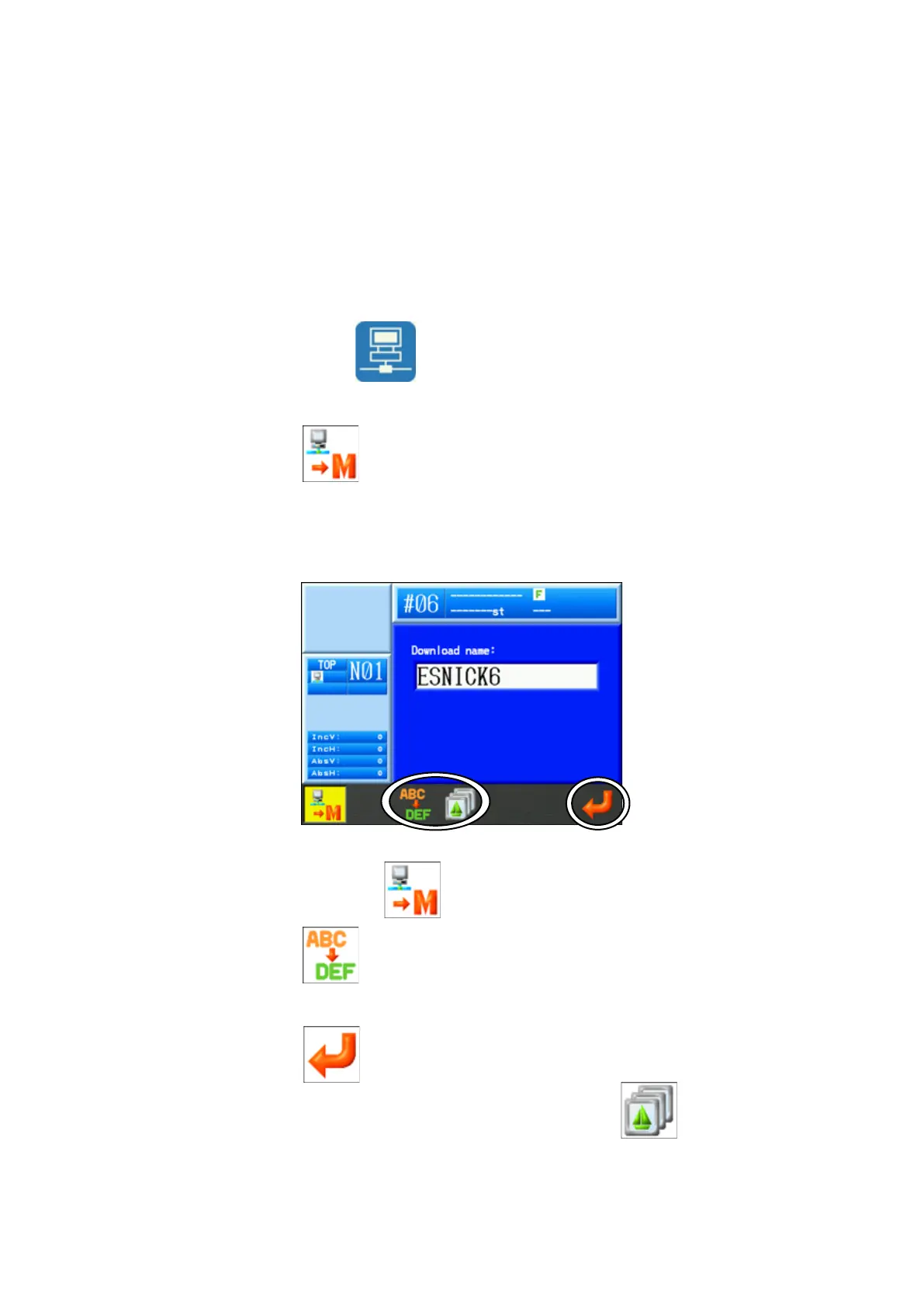
1) Press the Network key
to open the Network screen.
2) Press the A-key .
3) The Direct Download screen displays.
To cancel, press the A-key again to go back to the Network screen.
4) Press the C-key
to enter the design name to download.
Refer to “
Chapter 3, 14. Character Entry
” for details entering the name.
5) Press the G-key to enter the selected name.
* To select a download memory location, press the D-key
to display the list of
designs in memory. Select a memory location to download design in to.


 To Next Page