EAN: 5060514912850 (BLACK)
EAN: 5060514912874 (GOLD)
EAN: 5060514912867 (SILVER)
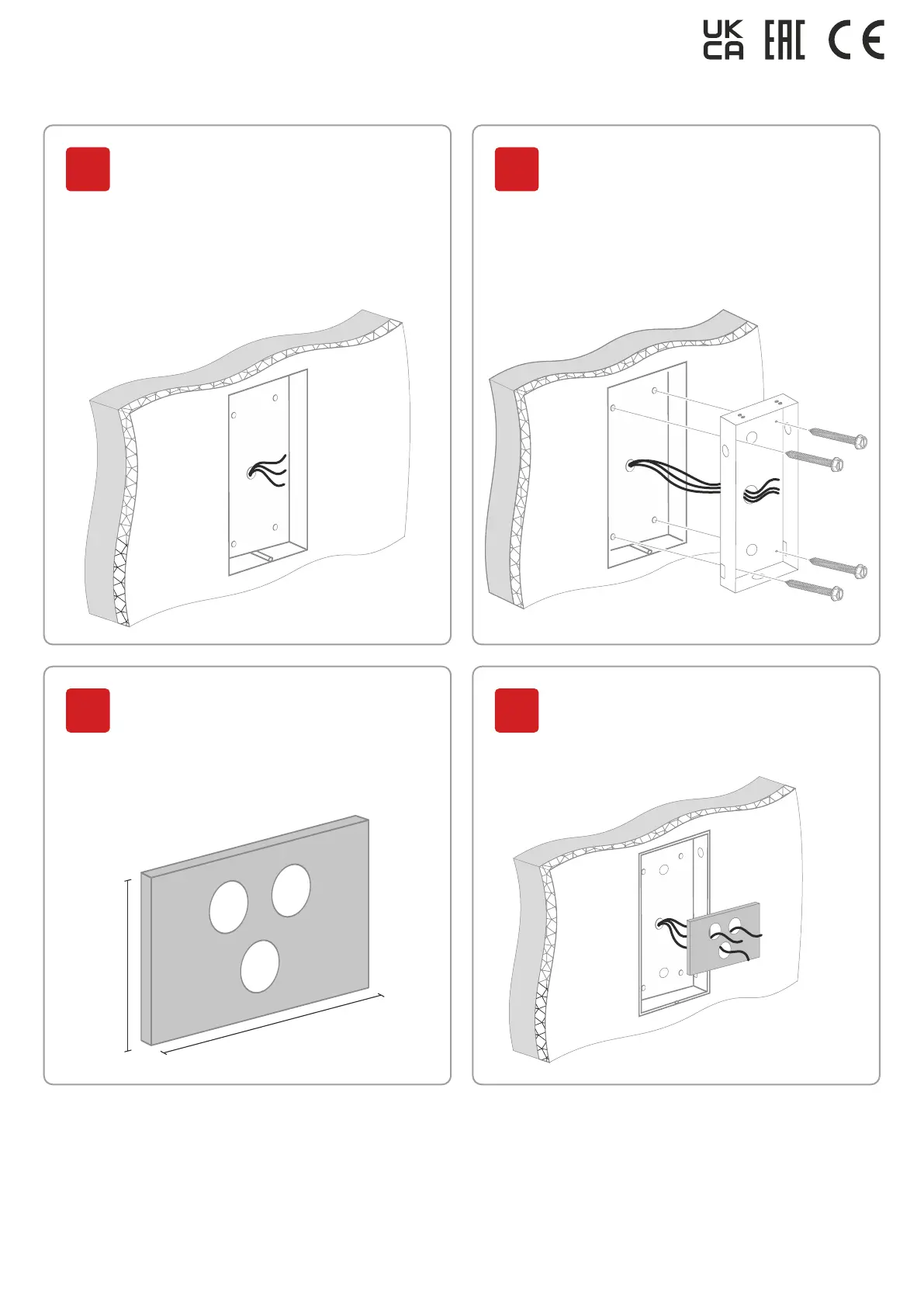
Place the flush mount bracket
in the hollowed-out niche and
fasten it with screws through
the mounting holes.
10
Wire all the necessary cables
for panel connection and
switching (for Ethernet, an exit
button, a lock, panel power,
a door sensor, a fire alarm,
RS485, and Wiegand interfaces)
into the niche.
9
Cut out a rectangle of 80x40 mm
from foamed polyurethane or
rubber and make holes opposite
the required outgoing connectors
on the back side of the panel.
11
80 mm
40 mm
Pass all the protruding from the
wall wires through the made
earlier holes in the insulating
rectangle.
12



 To Next Page