Installation Manual
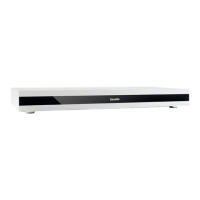
CORE PLUS
© 2022
basalte v1.0
How to install
- Network connection (2)
Make sure the Core Plus is connected to the network. It can be powered over POE.
- USB port (3)
The USB port allows you to expand your music library with an external USB storage and you can also use it to link
the Serial.bridge (0910-03 not included).
- KNX bus (5)
Connection to the KNX bus is made by using a special connector (included). This connector is dismountable from
the unit.
- Infra Red out 1 & 2 (6&7)
The Core Plus has 2 IR out that can control IR devices
(2x triple IR extender No. 0729-12 included). The IR commands can be configured in Studio.
- Analog output (8)
An external amplifier or surround system can be connected using this analog output. (Stereo RCA)
- Digital S/PDIF (9)
An external amplifier or surround system can be connected using the digital S/PDIF output. (Coaxial)
- Audio network (10)
Connect Core Plus to the audio network using Ethernet CAT5e cable. The audio network has to be a dedicated
network separated from your local data network.
- Beam Antenna (11)
To wirelessly connect to the Basalte beam wireless network. (antenna included)
- Programming Key (12)
Use this key to program the Core Plus with the Basalte Studio configuration software.
Connect the DC plug to the Core Plus before connecting the AC/DC Power Supply unit to the mains.
Technical data
Power PoE: 10 W IEEE 802.3af
Power: 12 V DC (12V 30W/2.5A adapter included)
Ambient temperature:
Operation: -5°C to 45°C
Storage: -15°C to 55°C
Transport: -15°C to 55°C
basalte bv | fraterstraat 37b | 9820 merelbeke | belgium
t +32 (0)9 385 78 38 | f +32 (0)9 329 66 95 | www.basalte.be | info@basalte.be
Dimensions: w 430 x h 50 x d 220 mm
Weight: 2,2kg
Max. humidity: 93% relative humidity, no moisture condensation
Protection class: II
Type of protection: IP 20
Certification: CE
Service button
The recessed button on the back of the Core Plus can be used for dierent purposes. When pressing and
holding this button with an appropriate tool, the front LED of the Core will cycle through dierent colours. When
releasing the button on a certain colour, the matching action will be executed.
• No LED: when releasing the button, nothing will happen (= pause between colours).
• Yellow: Restarting the Core is also available from the Basalte App on the Settings page when logged in
as admin.
• Cyan: DHCP is restored (in case the Core Plus might get unreachable).
• Magenta: factory reset which will remove the current configuration and its history.


 To Previous Page
 Loading...