1,Timer: Press 'timer' one time ,the trolley will move 10m/y and stop
Press 'timer' two times, the trolley will move 20m/y and stop
Press 'timer' three times, the trolley will move 30m/y and stop
(Note: while the trolley moving, you can press the 'timer' button again and the preset distance will be
Increased by an additional 10m/y)
2 ON/OFF and GO/STOP Function:
A. ON/OFF Function: Press this button for 2 seconds to switch power on or off
B. GO/STOP Function (Cruise Control): Press this button and the trolley will stop, press it again and the
trolley will move at the previous speed
3.3. Remote Control Operation
3.3.1. Basic Remote Functions
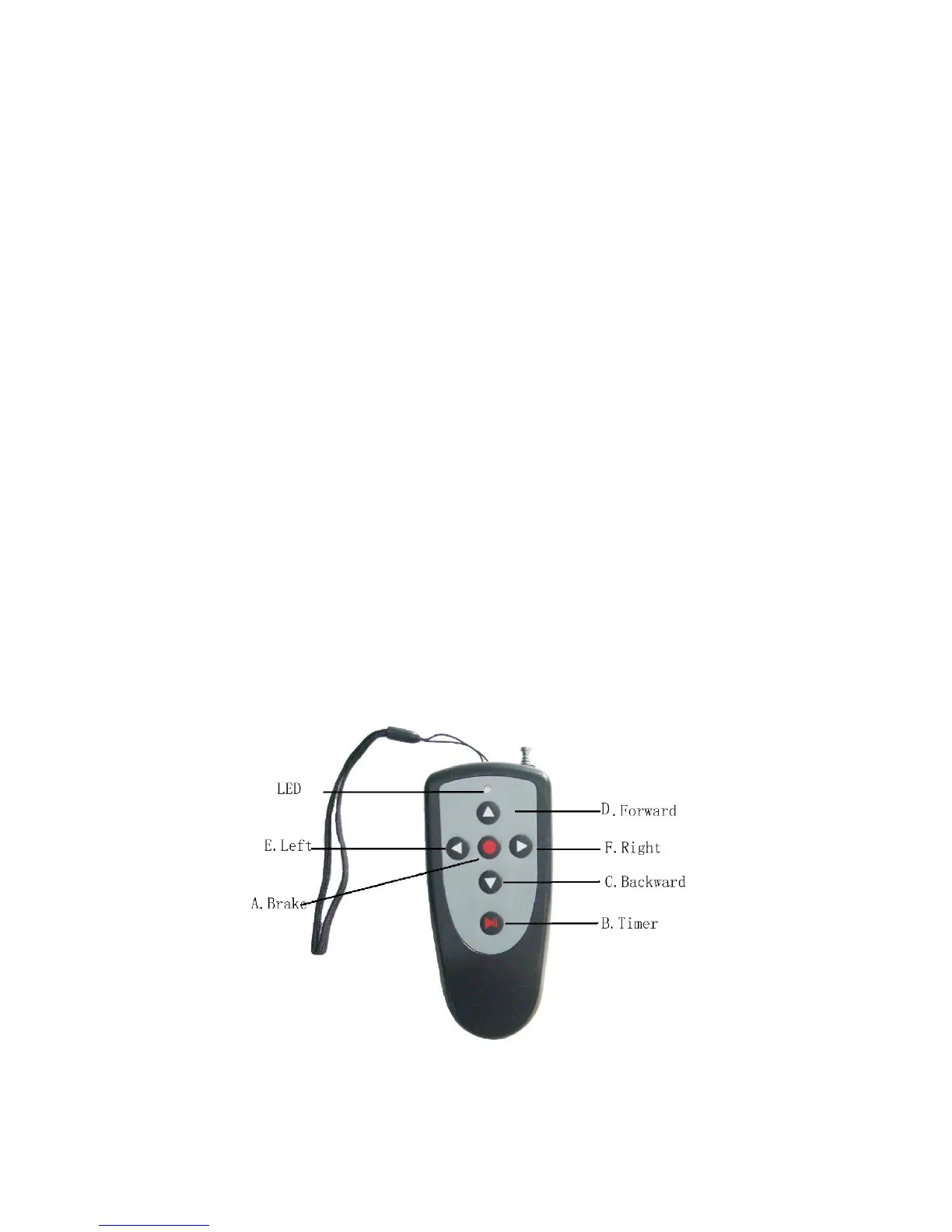
A. Brake/Stop: The red button in the center of the directional arrows should be used for
braking/stopping the caddy.
B. Timed Advance Distance Control: 10, 20, 30 meters/yards (press once/twice, three times
consecutively; same as manual control timer function)
C. Forward Arrow: Pressing the forward arrow will set the caddy in forward motion. Increase
speed by pushing multiple times. Decrease reverse speed by pushing forward arrow.
D. Reverse Arrow: Pushing the reverse arrow will set the caddy in backward motion. Pushing
multiple times will increase the speed. Decrease forward speed by pushing reverse arrow.
E. Left Arrow: Initiates left turns. When the arrows are released the caddy stops turning and
continues straight with the original speed prior to turning.
F. Right Arrow: same as left arrow function
Page 7 of 16


 To Next Page