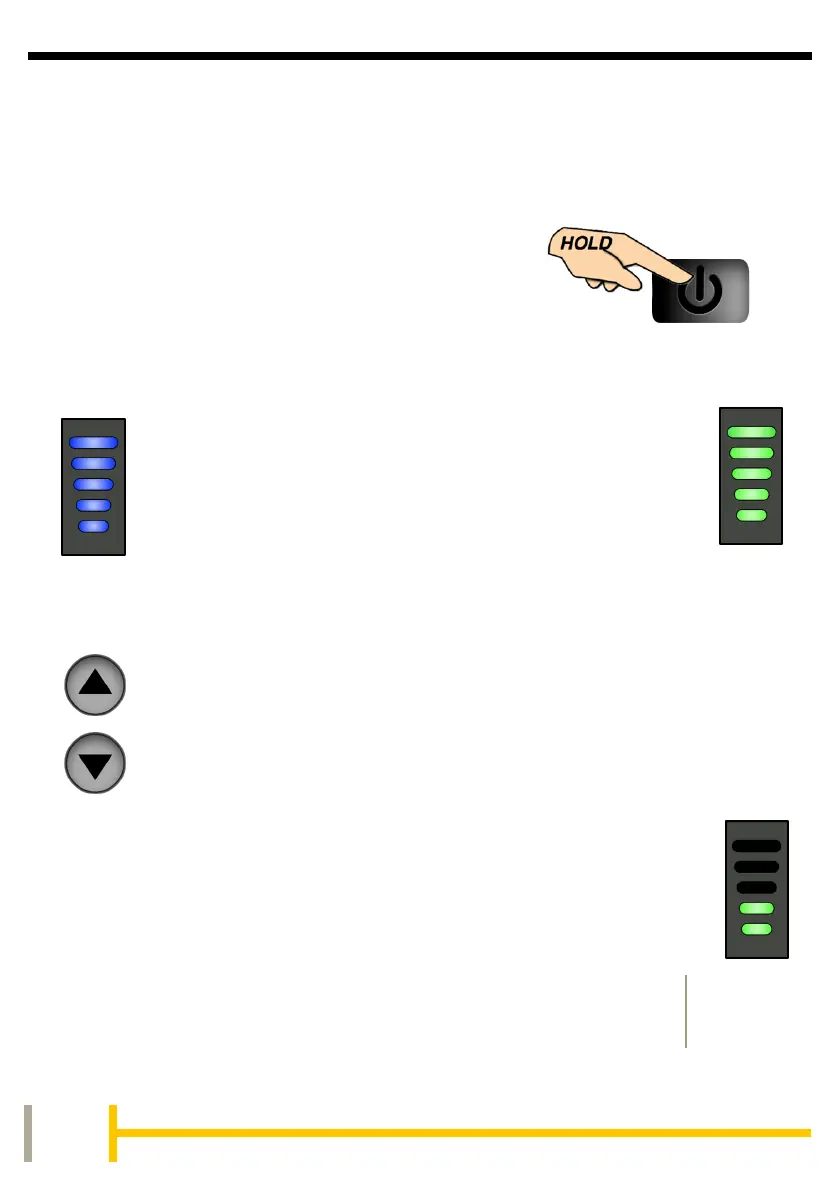
To use under electric power, switch on at
the battery if required, (bike model specific),
then switch on by pressing and holding the
POWER button on the handlebar unit until
the display lights (blue).
By means of the UP and DOWN buttons on the handlebar
mounted display unit, the various functions of the power
controller can be utilised.
There are 5 levels of pedal assistance available from the
motor. Using the UP and DOWN buttons you can select from
Level 1 (Lowest), to Level 5 (Highest). The motor will
then be activated upon pedalling.
The GREEN LEDs will light when the UP and DOWN
buttons are pressed indicating the assistance level.
The LEDs will then return to BLUE showing the
battery meter, until pressed again.
For extended features see the section on using
the app.
The handlebar display utilises two different colour
LEDs for different functions.
Battery Meter BLUE Assistance Level GREEN


 To Next Page