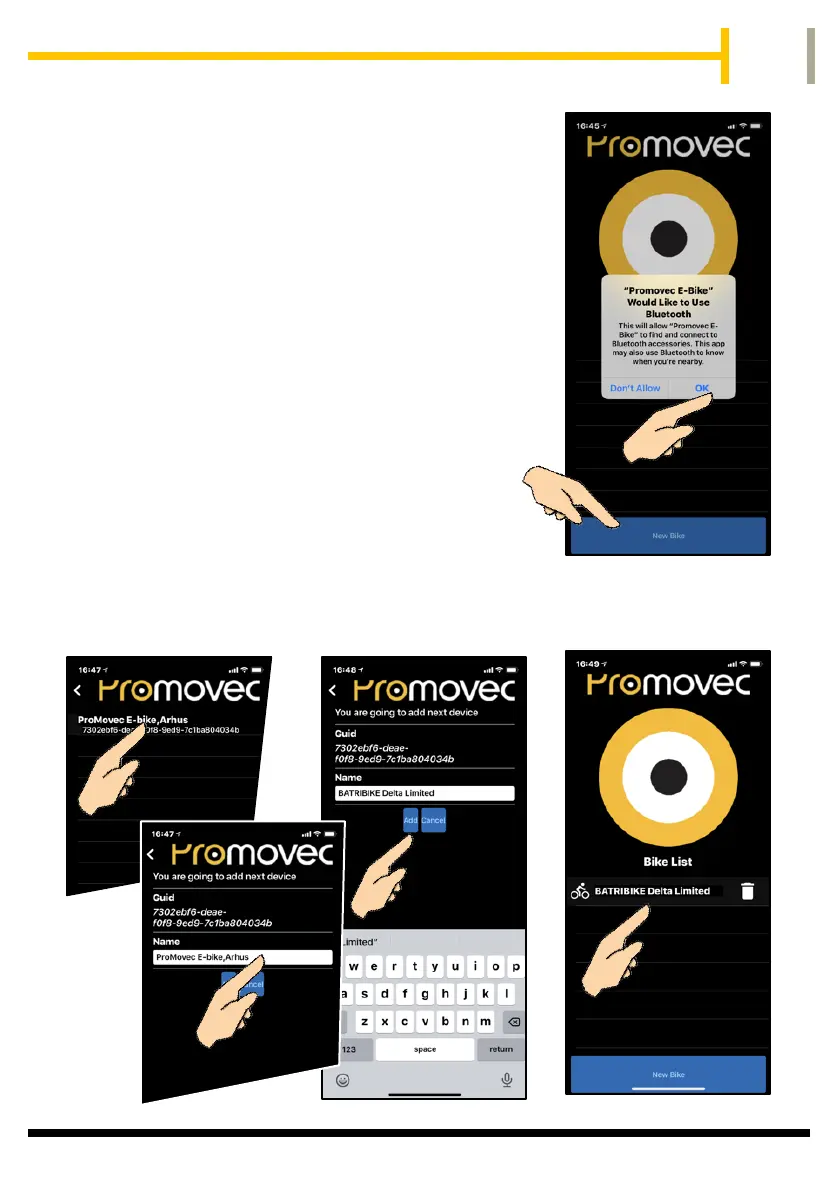
Open the app and allow connection to
Bluetooth.
Switch on your bike using the handlebar
display
Make sure any other nearby bikes with
connect+ are switched off.
Press New Bike on your phone and the phone
will search for your bike.
Select the located bike. You can now change
the name of the bike to one you choose,
before pressing ADD.
Your bike will now appear on your Bike List.
(You can have more than one bike on your
app.) To add another bike repeat the steps above.


 To Next Page