Page 8 For technical questions, please call 1-888-866-5797. Item 58847
SAFETY OPERATION MAINTENANCESETUP
Operating Instructions
Read the ENTIRE IMPORTANT SAFETY INFORMATION section at the beginning of this
manual including all text under subheadings therein before set up or use of this product.
1. Make sure that the Trigger is in the off-position
and the Direction Switch is in the centered (Trigger
Lock position) then attach the Battery Pack.
2. Insert an appropriate impact-rated
accessory into the driver.
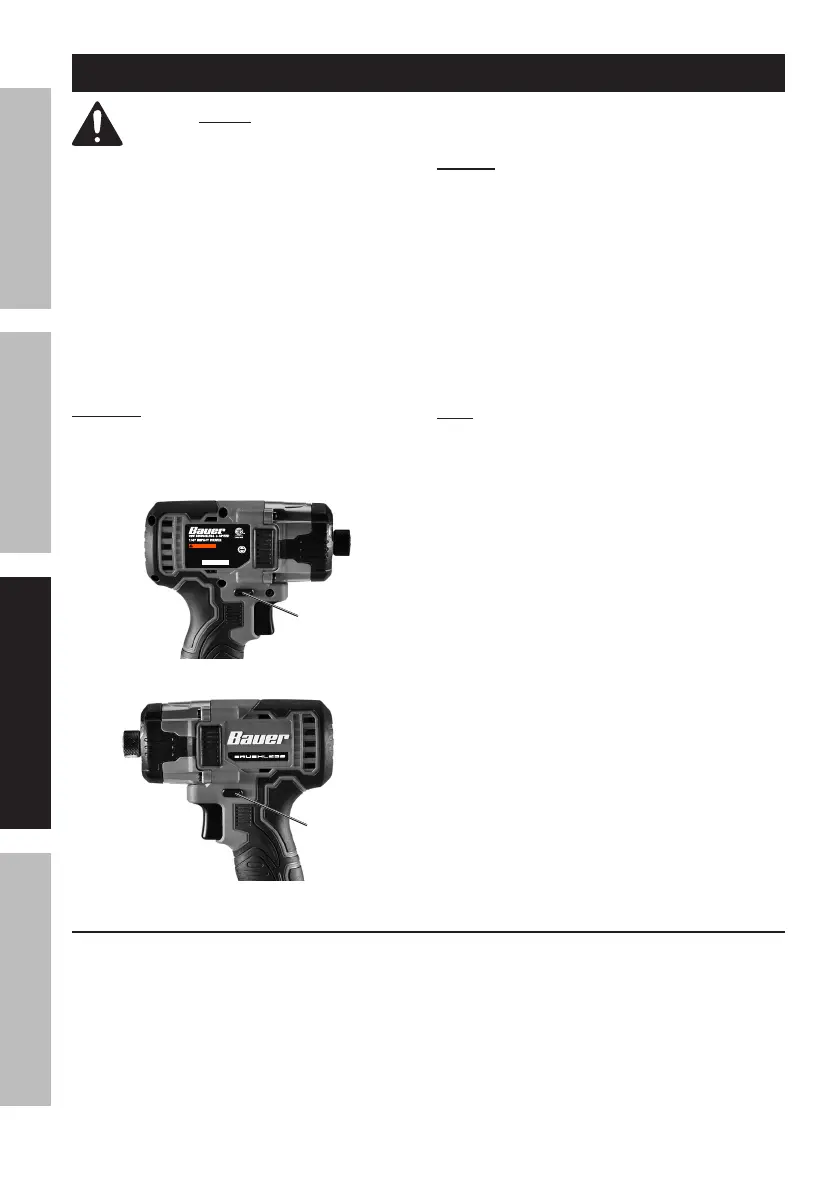
3. Set Direction Switch.
Forward: Push Switch in on right
side for clockwise rotation.
Reverse: Push Switch in on left side
for counter-clockwise rotation.
Trigger Lock: Push Switch to the
center to lock the Trigger.
CAUTION! Set Direction Switch to center
(Trigger Lock position) during set up, when
changing bits or when tool is idle.
Push Switch to center
to lock Trigger
Push in
for
Forward
Push in
for
Reverse
NOTICE: Do not change direction of rotation
while Chuck is rotating. Wait until Chuck has come
to a complete stop before changing direction.
4. Install bit and select direction of rotation.
5. Press Trigger to start the tool. The LED on the front
of the tool will light when the Trigger is pressed
and turn off 10 seconds after Trigger is released.
6. The tool has variable speed. To increase
speed, apply more pressure to Trigger. To
decrease speed, lessen pressure on Trigger.
7. Tighten or loosen the fastener(s) as required.
Note: The amount of actual torque will vary depending
on the cleanness and condition of the threads and
other factors. If tightening critical components,
chase threads before assembling components and
check the actual torque applied to the fastener
with a mechanical torque wrench (not supplied).
8. When finished using the Impact Driver, release
Trigger and center Direction Switch to lock Trigger.
9. To prevent accidents, turn off the tool and
remove its Battery Pack after use. Clean, then
store the tool indoors out of children’s reach.
Speed Selector
To change the speed, press the Speed Selector Button.
MODEL 2181CR-B
To reduce risk of injury: user must
read instruction manual. For use only
with Bauer 20V Li-Ion Battery (64816).
Conforms to UL STD.
62841-1 & 62841-2-2.
Calabasas, CA
WARN ING
UPC 193175447760
58847
21h
Serial:
3026035


 To Next Page
 Loading...