Page 9For technical questions, please call 1-888-866-5797.Item 58847
SAFETYOPERATIONMAINTENANCE SETUP
Maintenance
Procedures not specifically explained in this manual must
be performed only by a qualified technician.
TO PREVENT SERIOUS INJURY FROM ACCIDENTAL OPERATION:
Make sure that the Trigger is in the off-position and remove the Battery
Pack before performing any procedure in this section.
TO PREVENT SERIOUS INJURY FROM TOOL FAILURE:
Do not use damaged equipment. If abnormal noise or vibration
occurs, have the problem corrected before further use.
Cleaning, Maintenance, and Lubrication
1. BEFORE EACH USE, inspect the general
condition of the tool. Check for:
• leaking, swollen, or cracked battery pack
• loose hardware
• misalignment or binding of moving parts
• cracked or broken parts
• any other condition that may
affect its safe operation.
2. AFTER USE, wipe external surfaces
of the tool with clean cloth.
3. Li-Ion BATTERY MUST BE RECYCLED OR
DISPOSED OF PROPERLY.
Do not short, incinerate or open battery.
4. Disconnect battery pack and store battery pack,
charger, and tool in dry, indoor area out of
reach of children and away from metal objects
(i.e., paperclips, coins) to prevent shorting.
Troubleshooting
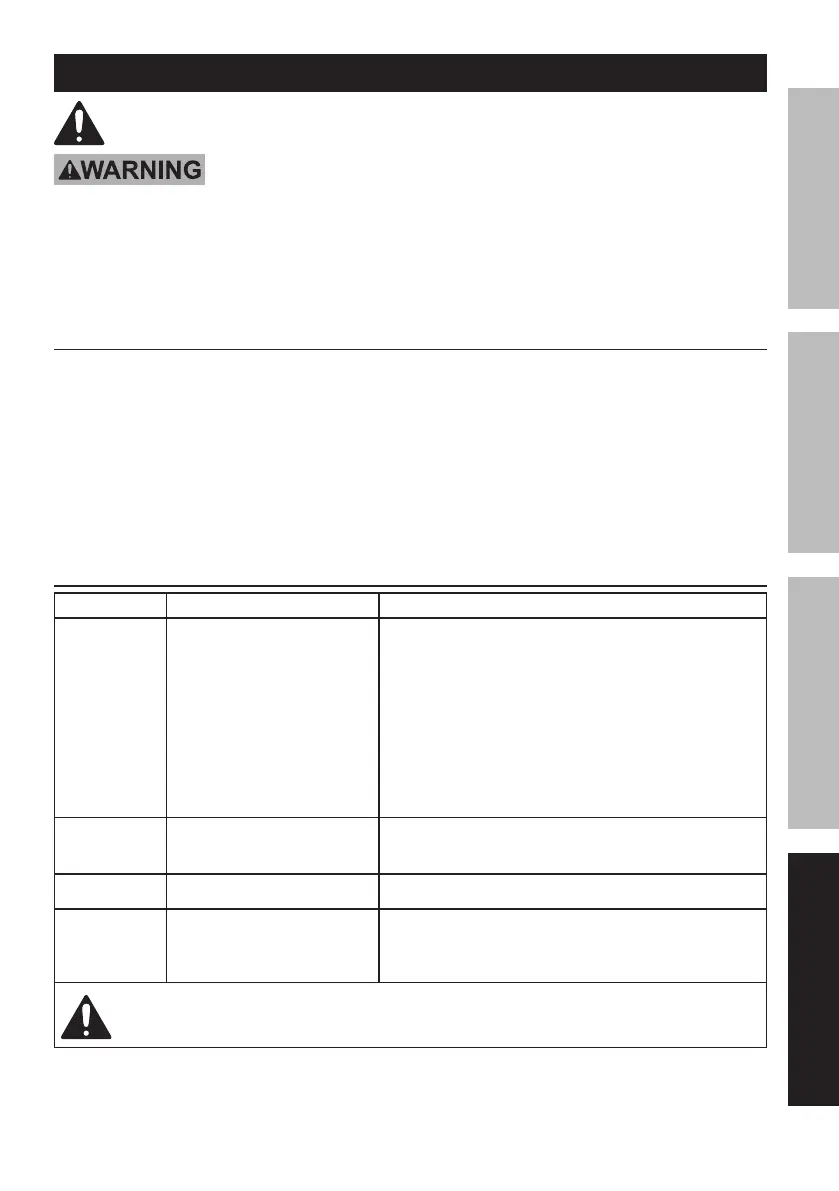
Problem Possible Causes Likely Solutions
Tool will
not start.
1. Battery Pack not properly
connected.
2. Battery Pack not
properly charged.
3. Battery Pack worn out.
4. Internal damage or wear.
(Trigger, for example.)
1. Remove Battery Pack, make sure there are
no obstructions, clean battery contacts on
tool, reinsert the Battery Pack according to its
shape (it should only fit one way), and press
firmly until the Battery Pack locks in place.
2. Make sure Charger is connected and operating properly.
Give enough time for Battery Pack to recharge properly.
3. Dispose of old Battery Pack properly or recycle.
Replace Battery Pack.
4. Have technician service tool.
Tool operates
slowly.
1. Forcing tool to work too fast.
2. Battery Pack wearing out.
1. Allow tool to work at its own rate.
2. Dispose of old Battery Pack properly or recycle.
Replace Battery Pack.
Excessive noise
or rattling.
Internal damage or wear. Have technician service tool.
Overheating. 1. Forcing tool to work too fast.
2. Blocked motor housing vents.
1. Allow tool to work at its own rate.
2. Wear ANSI-approved safety goggles and
NIOSH-approved dust mask/respirator while
blowing dust out of motor using compressed air.
Follow all safety precautions whenever diagnosing or servicing the tool.
Disconnect Battery Pack and Charger power supply before service.


 To Next Page
 Loading...