Need help?
Do you have a question about the Bauhn AS-PVR1000R and is the answer not in the manual?
Key safety advice regarding electrical shock and product care.
Guidelines for safe use and handling of the power cord.
Advice on product placement, ventilation, and environmental conditions.
Operating limits, supervision requirements, and prohibited uses.
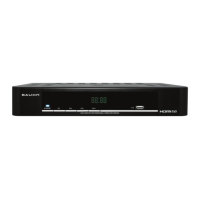
Description of front panel buttons and indicators.
Description of rear panel ports and their functions.
Identification of buttons on the remote control.
Explanation of remote control button operations.
Instructions for installing batteries and safe usage.
Guidelines for antenna setup for digital reception.
Methods for connecting the PVR to a television.
Guides for connecting via HDMI and YPbPr.
Connecting the unit for audio output to an amplifier.
Controls for turning the unit on, off, and standby.
Methods for finding and selecting channels via auto/manual search.
Adjusting audio, display information, screen format, and resolution.
Configuring audio tracks and closed captions.
Fundamental operations and navigation within the EPG.
Displaying program information in a vertical layout.
Displaying program information in a horizontal layout.
Starting immediate recordings and setting their length.
Using time-shift features and their operational controls.
Scheduling and managing timed recordings or reminders.
Information on disk space needed for digital recordings.
Exploring and playing recorded programs or media files.
Managing files through copy, select, rename, and delete options.
Accessing and navigating primary menu categories and program guides.
Configuring recording functions and storage destinations.
Device setup, video/audio output configurations.
Adjusting time zones, content locks, and device status.
Details on signal reception and data processing standards.
Parameters for video, audio signal outputs and AV connections.
Specifications for physical interfaces, power, and operating conditions.
List of items supplied with the unit.
 General
| Hard Drive Capacity | 1TB |
|---|---|
| Recording Resolution | Up to 1080p |
| Compression Format | H.264 |
| Network Connectivity | Ethernet |
| Connectivity | HDMI, USB |
| Video Output | HDMI |
| Remote Viewing | Yes |
| EPG | 7-day Electronic Program Guide |

 To Next Page