iii
After Sales Support
Telephone: 1300 663 907
Internet: www.winplus.com.au
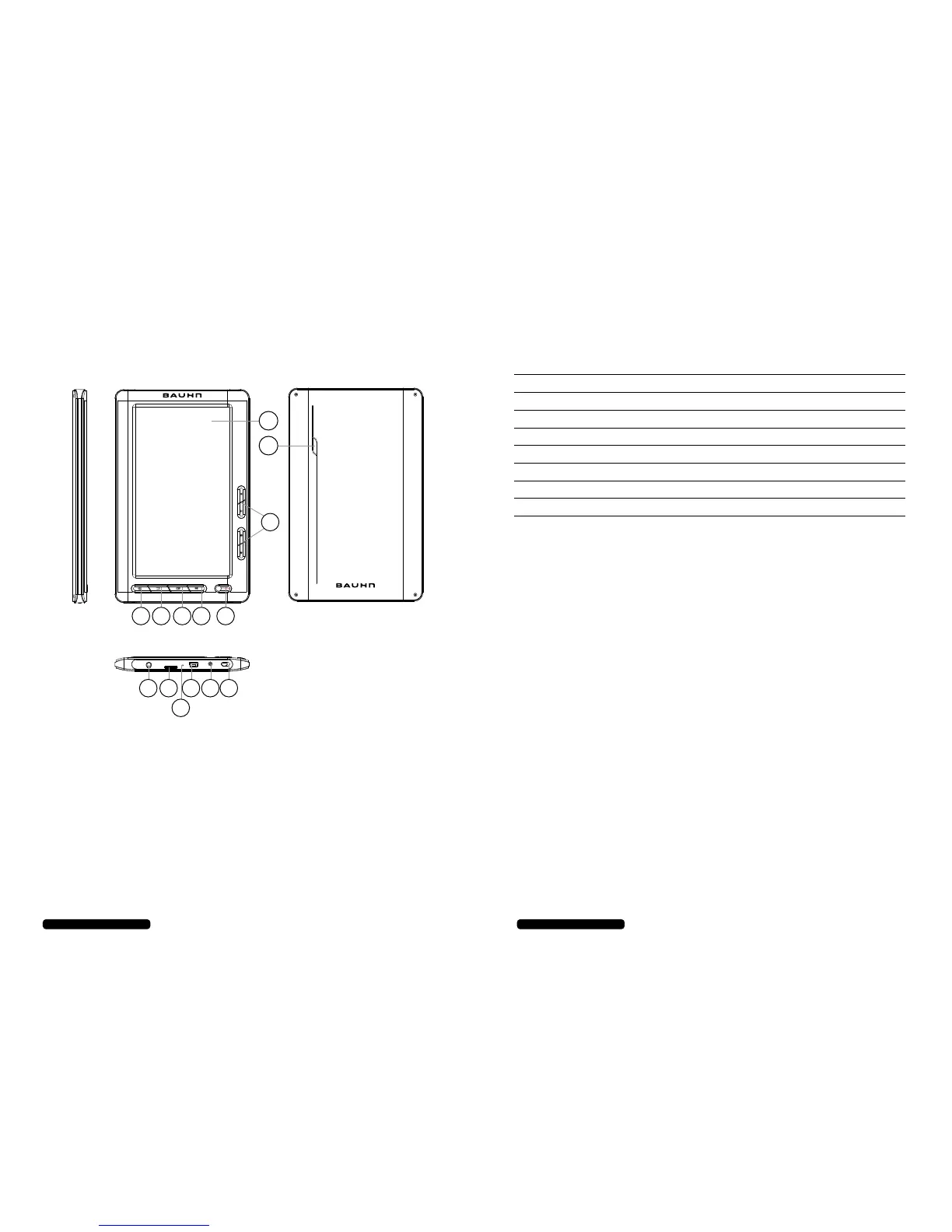
1. LCD Screen
2. Magnify Button:
Press to adjust the size
of eBook text and fonts
3. Back Button: Use the back button to exit
videos, eBooks or return to previous menu
4. OK Button: Use to make menu selections
or select les
5. Play / Pause / Record Button: Play or
pause audio / video les and record audio
6. Power Button: Turn the eBook on or o
7. Directional Buttons: Use to navigate
menus, advance between audio / video
les and adjust the playback volume
8. ON/OFF Switch: Set to OFF position to
prevent accidentally turning the eBook ON
or OFF
9. DC Input: Power adaptor input for
external power supply (not included)
10. USB Port: Connect USB cable to charge
and transfer les
11. Microphone: Built in microphone for
recording audio
12. MicroSD Card Slot: External storage slot
for MicroSD cards up to 32GB (not included)
13. Headphone Jack
14. Speaker
After Sales Support
Telephone: 1300 663 907
Internet: www.winplus.com.au
ii
7” Colour eBook Reader and Media Player
Product Features
2
3
4
5
6
8
9
10
12
13
11
7
1
14
Contents
Warranty i
7” Colour eBook Reader and Media Player Product Features ii
Welcome 1
General Safety Instructions 1
Parts List 2
Technical Specications 2
Instructions 3-8
Tips & Troubleshooting 10
Repair and Refurbished Goods or Parts Notice 11
3-9


 To Next Page