19
AUTO MENU
Your Baumatic Microwave has an Auto Menu cooking
feature. You can see the menu options available on the
control panel (eg. Pizza, fish, rice).
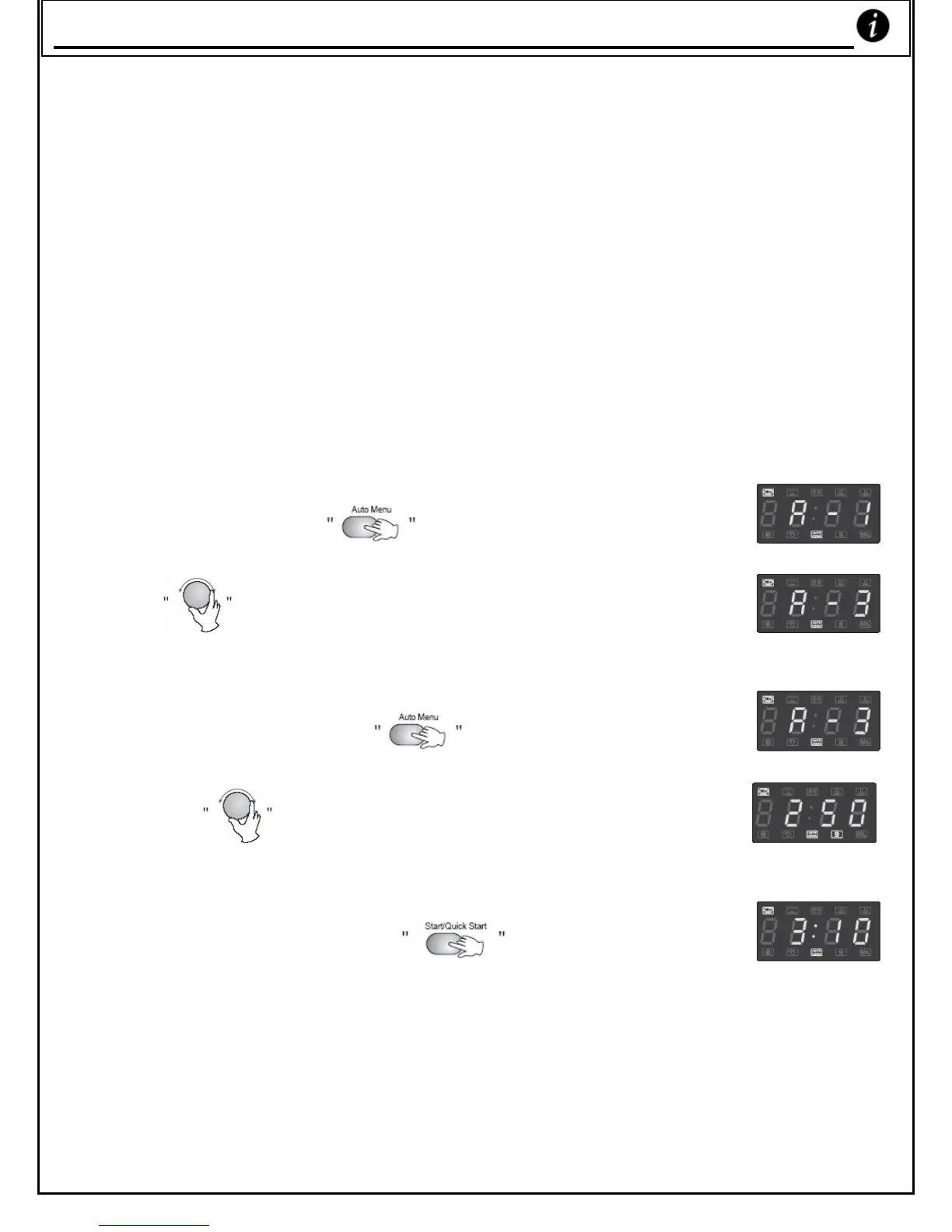
FOR EXAMPLE: If you want to use ‘Auto Menu’ to cook 250g
of fish.
1) Press ‘Auto Menu’
. The oven displays ‘A-1’
2) Turn
to select the function you want.
3) Press the ‘Auto Menu’
key.
4) Turn the
knob to set the weight of the fish.
5) Press ‘Quick Start/Start’
to start cooking.
* Note that the red Auto-Menu light will flash on the display
during the cooking program.
_ _ _ _ _ _ _ _ _ _ _ _ _
Auto Menu



 To Next Page