11
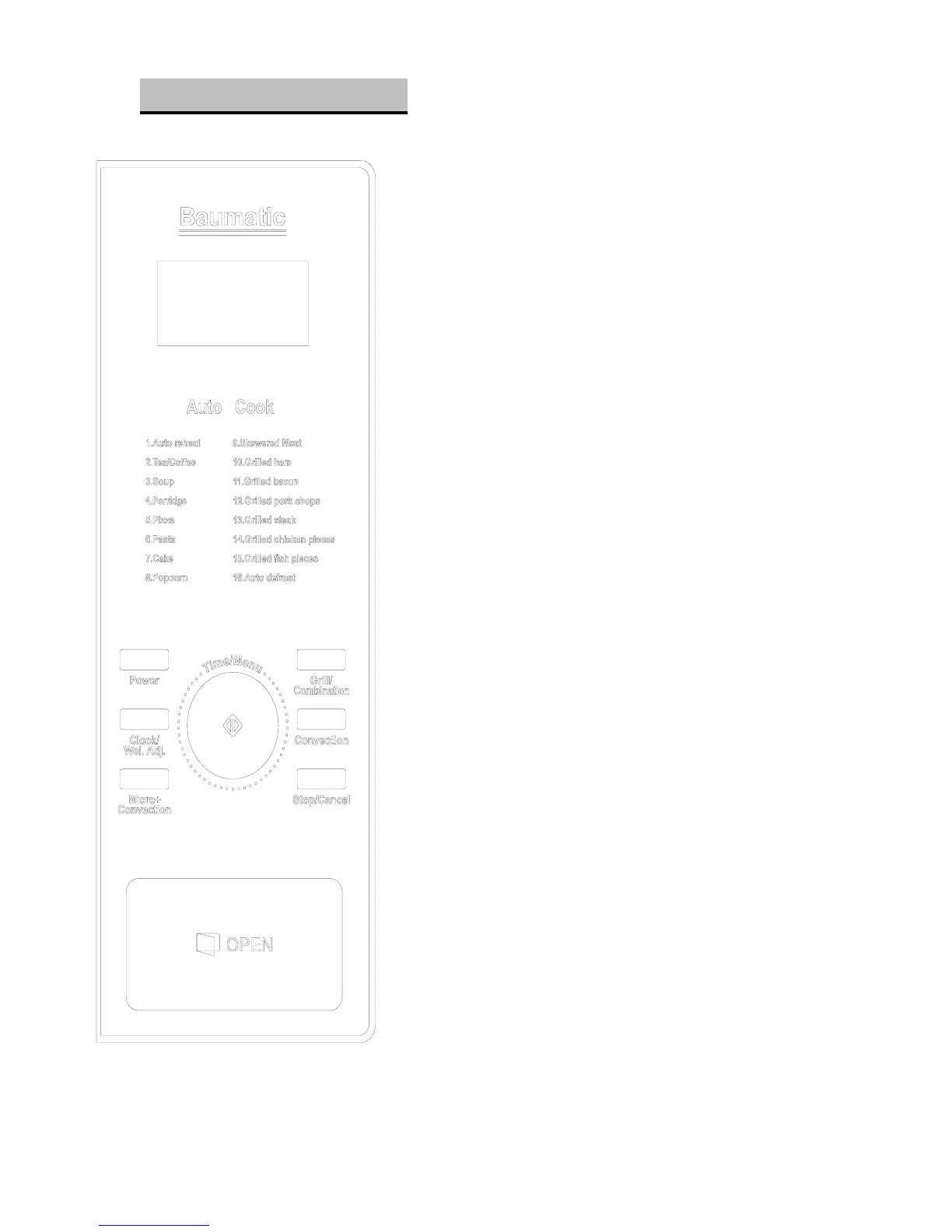
CONTROL PANEL
DISPLAY SCREEN:
Cooking time, power, programme indicators and clock
time are shown
POWER:
Press to select Microwave power level.
GRILL/COMBINATION:
Press to set a grill or combination cooking program.
CONVECTION:
Press to program convection temperature.
MICRO + CONVECTION:
Press to select one of four combination cooking settings.
TIME/MENU (DIAL):
Rotate to set the clock or to set food weight
CLOCK/WEI.ADJ
Press to set the clock or set food weight.
(START/QUICKSTART)
Press to set the cooking program or set quick start
cooking programme.
STOP/CANCEL
Touch to stop cooking programme or clear all previous
settings before cooking starts.
(Please also see the following pages for more detail)










 To Next Page