Detailed manual and
PC software on
http://manuals.bavarianDEMON.com
Ausführliche Anleitung und
PC-Einstellsoftware auf
http://manuals.bavarianDEMON.com
BETRIEB
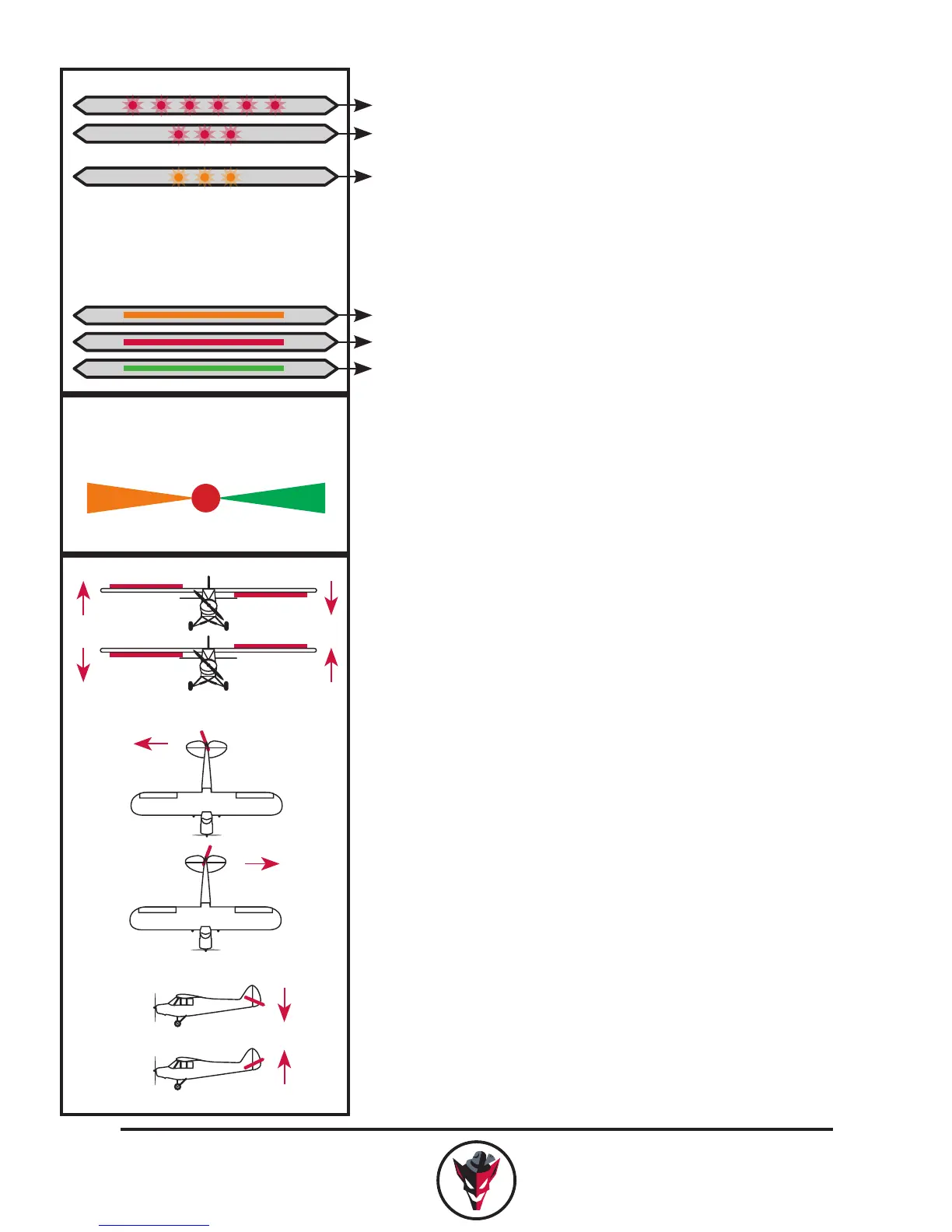
Beim Einschalten 6 s nicht bewegen.
Fehler: Sysytem wegen Bewegung
nicht initialisiert!
Kein Eingangssignal: LED blinkt orange
Nach erfolgtem Initialisieren wird auf
den angeschlossenen Servos ein dop-
pelter Bestätigungsimpuls ausgegeben.
LED leuchtet konstant: Betriebsbereit
Kreisel-Modus:
Bank 1
AUS
Bank 2
KREISELKANAL
Steuert Kreiselempndlichkeit und
Bank (Modus).
Bank 1 = Gyro-Modus
Bank 2 = Hold-Modus
(Andere Konguration per PC möglich)
RICHTUNGSTEST
Das Modell um jede Achse drehen.
Jeweilige Ruder müssen gegen die
Drehrichtung arbeiten
EINFLIEGEN
Mit schwacher Empndlichkeit am
AUX- (Kreisel) Kanal beginnen und
vorsichtig steigern.
Bei aktiviertem Kreisel ggf. Expo
reduzieren, da die Haltewirkung der
Kreisel Expo-ähnliche Wirkung hat!
Kreiselabstimmung nur im
Flug vornehmen.
DE
CHECK GYRO DIRECTION
Tilt model in each axis.
The corresponding control throw must
act against the tilt direction.
FLYING-IN
Start with a low gain on the AUX
(gyro) channel and increase carefully.
You may reduce any expo with acti-
vated gyro system, as the hold effect
acts a bit similar to an expo function.
Gyro tuning only when in ight.
GYRO CHANNEL
Controls gyro gain and bank (mode).
Bank 1 = gyro-mode
Bank 2 = hold-mode
(alternate conguration via PC)
OPERATION
Do not move for 6 s after powering on.
Failure: system not initialised due to
movement!
No signal: orange ashing LED light
After successful initialisation
the servos will respond with a
double-pulse.
Constant LED light: ready for operation
gyro mode:
Bank 1
OFF
Bank 2
EN
-100
Bank 1
+100
Bank 2
0
off
AUX (Gyro) channel


 To Next Page