Tx300-400-1000MK2-1000 Keypad-Ex4 MK2-TxLD Installation Guide 12Jan05.doc
Tx400 (1-2-1 controller) Page 8
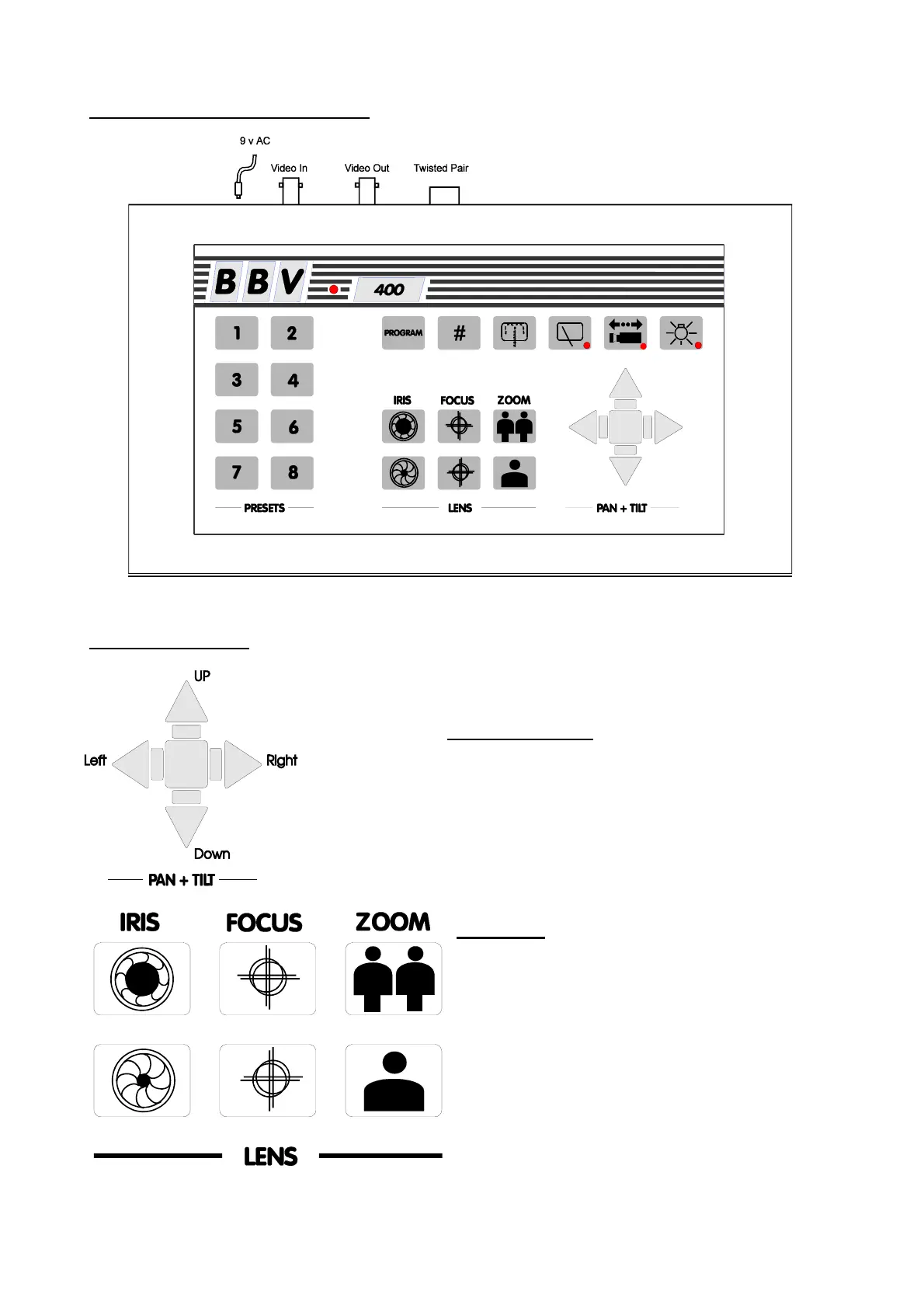
LAYOUT OF THE BBV Tx400 KEYPAD
KEYPAD FUNCTIONS
Pan and Tilt Action:
Press the relevant direction arrow(s)
Lens Action
There are six lens-function switches on the BBV Tx400
keypad. These are IRIS OPEN, IRIS CLOSE, FOCUS
NEAR, FOCUS FAR, ZOOM IN and ZOOM OUT.
Press and hold the relevant key until the desired
picture is obtained. Note: If the key is pressed and
held for longer than one second, High Speed Lens
Action is activated. Inching is achieved by quick
presses of the key.



 To Next Page