Tx300-400-1000MK2-1000 Keypad-Ex4 MK2-TxLD Installation Guide 12Jan05.doc
Tx400 (1-2-1 controller) Page 9
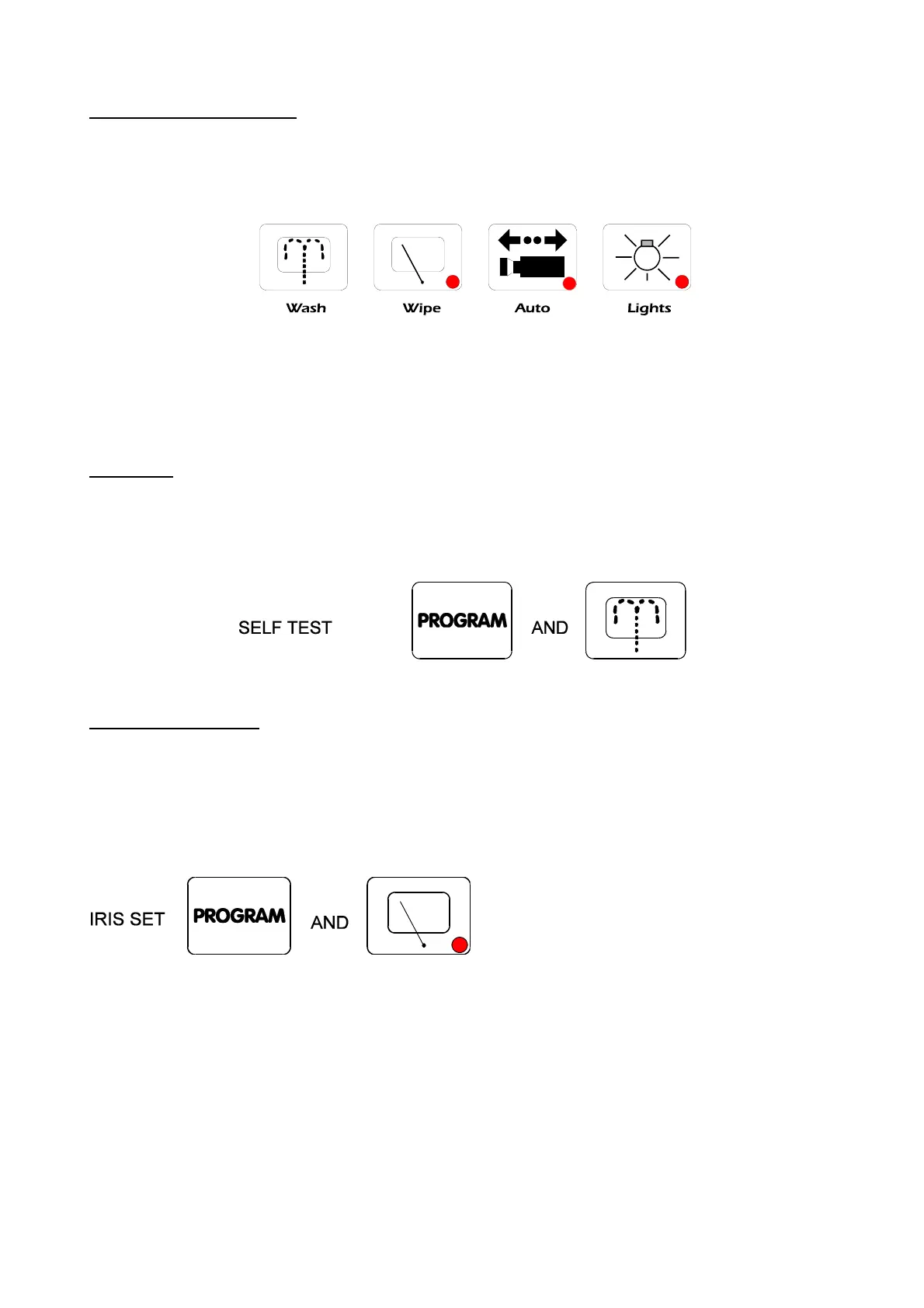
Auxiliary Function Switches
There are four auxiliary function switches on the BBV Tx400 keypad. These are Wash, Wipe, Autopan and
Lights.
Their functions are as follows:
WASH - Press and hold for washer motor to run.
WIPE - Latching output, press on/press off.
AUTOPAN - Press, LED lights up and the Autopan motor starts. Pressing Left or Right stops
Autopan.
LIGHTS - Latching output, press on/press off.
SELF TEST
To run Self-Test, press and hold PROGRAM whilst pressing WASH. This activates the Self-Test routine in
the BBV range of Rx receivers. See the Rx Series Telemetry Receiver Installation Handbook for more
details.
IRIS LEVEL PROGRAM
To pre-set the aperture of the iris, press IRIS OPEN or IRIS CLOSE until the desired level is reached, then
press and how PROGRAM whilst pressing WIPE to set. Note: There is a 15-second time-out, after
reaching the correct aperture setting, in which to program the Iris setting. When this time period expires, the
iris reverts to its default setting.


 To Next Page
 Loading...