601227_1 8
User Instructions
This model has been designed to be free standing and is normally positioned against a
wall.
WARNING! Do not operate the appliance if it is damaged or has malfunctioned. If you
suspect the appliance is damaged or has malfunctioned call a qualified service
engineer to inspect the appliance, and replace any part of the electrical system if
necessary, before reuse.
WARNING! To reduce the risk of fire, keep textiles, curtains, or any other flammable
material a minimum distance of 1 meter from the air outlet.
MAKE SURE the plug fits tight in the outlet. Faulty wall outlet connections or loose plugs
can cause the outlet to overheat.
Do not disconnect the power at the mains supply whilst the appliance is running.
Ensure the mains switch has been moved to the off position before disconnecting.
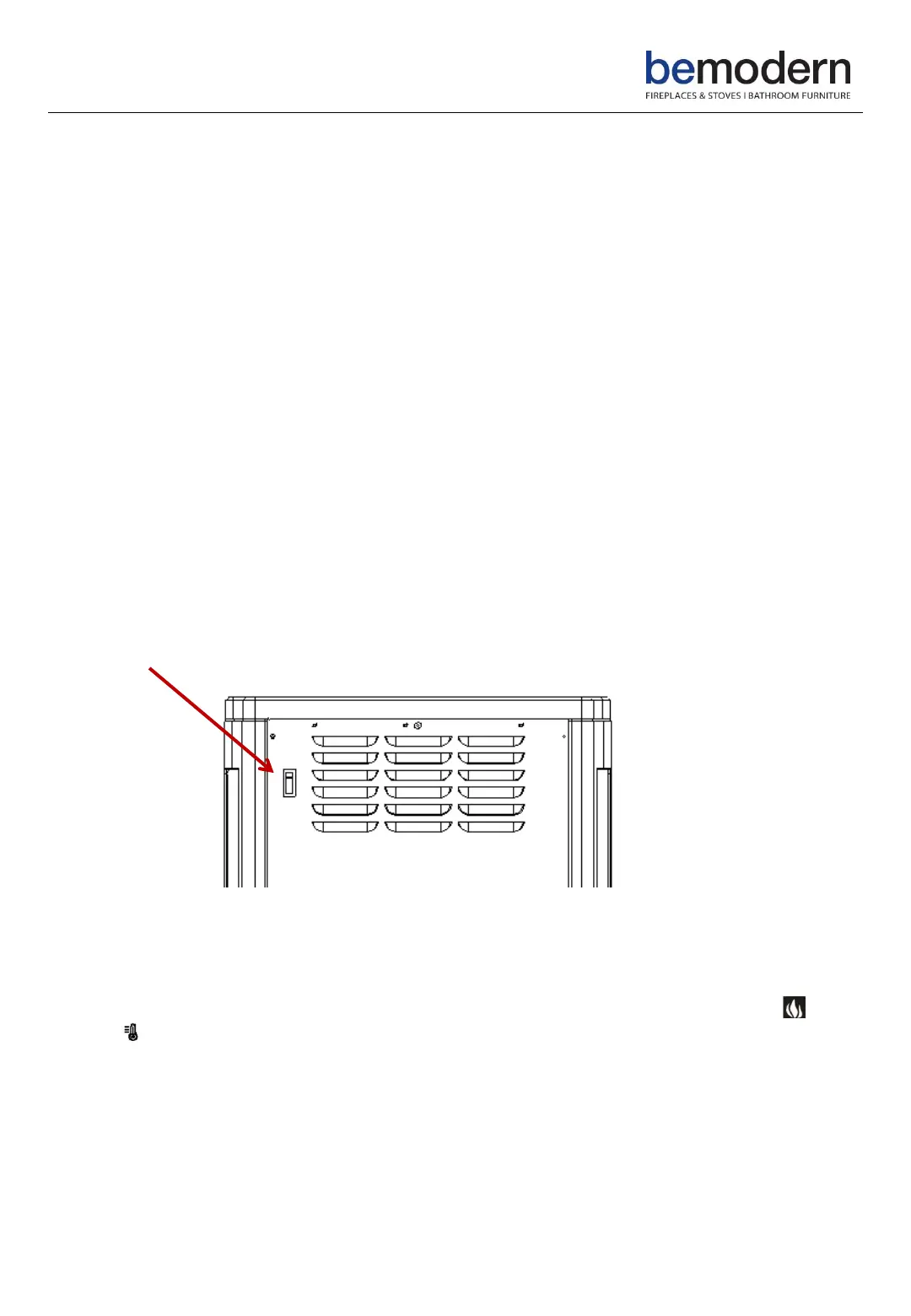
Main Power Switch
The main power switch is located on the rear of the appliance. This needs to be
switched ON before operating the manual / remote controls.
Pairing the handset
Within 1 minute of turning the power on by the main power switch press and hold
and the buttons on the remote control for 3 seconds to remotely pair the handset
to the appliance, the LCD will display bL and flash 5 seconds, then return to the
normal display state. The remote is now paired to the appliance.


 To Next Page