Installation of the mounting brackets
Screw the Intel spacer nut A onto the previously
positioned Intel backplate. Then position the
Intel mounting brackets over the Intel spacer
nut A and affix these with the mounting bracket
fastening screws. You can use the cross-tip
screwdriver for this.
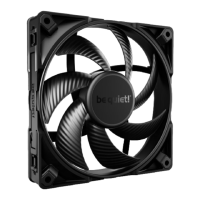
Center the Silent Wings 135mm fan from
above. Then slide it into the recess between the
heatsinks and press it firmly. Connect both fans
via the Y-cable. You can remove the fan clips of
the Silent Wings 4 120mm and adjust the height.
Installation der Montagebrücken
Schraube den Intel Gewindebolzen A auf die zuvor
platzierte Intel Backplate. Positioniere dann die
Intel Montagebrücken auf den Intel Gewindebolzen
A, um sie mit den Befestigungsschrauben für die
Montagebrücke zu fixieren. Hierzu kannst du den
Kreuzschraubendreher nutzen.
Befestigung der Backplate
Platziere die Intel Backplate Schrauben in die auf
der Rückseite der Intel Backplate befindlichen Aus-
sparungen. Beachte hierzu die Bohrlöcher für den
jeweiligen Sockel.
Verwende zur Befestigung der Backplate-Schrauben
auf der Intel Backplate die O-Ringe. Sobald die Intel
Backplate für den jeweiligen Intel-Sockel zusammen-
gebaut ist, positioniere es unter dem Mainboard. Achte
dabei darauf, dass die Intel Backplate-Schrauben
genau in den Mainboardlöchern positioniert sind.
Setze den Silent Wings 135mm Lüfter von oben mittig
an. Lass ihn anschließend in die Aussparung zwischen
den Kühlkörpern hineingleiten und drücke ihn fest.
Verbinde beide Lüfter über die Y-Weiche. Du kannst die
Lüfterklammern des Silent Wings 4 120mm abnehmen
und in der Höhe verstellen.
Mounting the CPU cooler
First peel off the protective film from the
underside of the cooler. Apply thermal paste on
the CPU surface. The tube contains enough for
about 1 or 2 applications.
Caution: The thermal paste supplied should not
be swallowed. If any is swallowed, drink lots of
water and urgently seek the advice of a doctor.
Store it beyond the reach of children. Avoid
contact with skin and eyes.
Montage des CPU-Kühlers
Entferne zunächst die Schutzfolie von der
Unterseite des Kühlers. Trage die Wärmeleitpaste
auf die CPU-Oberfläche auf. Der Inhalt reicht für
ca. 1-2 Anwendungen.
Vorsicht: Die mitgelieferte Wärmeleitpaste ist nicht
zum Verzehr geeignet. Bei Verzehr ausreichend
Wasser trinken und umgehend einen Arzt aufsuchen.
Außerhalb der Reichweite von Kindern aufbewahren.
Vermeide Haut- und Augenkontakt.
Place the cooler onto the CPU unit. Then screw
the mounting bridge alter-nately tight. You can
use the cross-tip screwdriver for this.
Dark Rock Pro 5 has a Quiet (Q) and a Performance
(P) mode. The mode affects the maximum fan
speeds and the operating noise. To change modes,
first remove the magnetic top cover. Move the
switch to switch between the modes.
Lege den Kühler mittig auf die Intel Montage-
brücken, sodass sich der Kühler mit selbigen
verschrauben lässt. Hierzu kannst du den
Kreuzschraubendreher verwenden.
Dark Rock Pro 5 hat einen Quiet (Q) und einen
Performance (P) Modus. Der Modus hat Einfluss
auf die maximalen Drehzahlen des Lüfters und die
Betriebsgeräusche. Entferne zum Wechseln der
Modi zunächst den magnetischen Deckel. Bewege
den Schalter, um zwischen den Modi zu wechseln.
Mounting the backplate
Position the Intel backplate screws in the notches
situated on the rear side of the Intel backplate. Pay
attention doing so to align with the holes drilled for
each socket.
For fixing the backplate screws onto the Intel
backplate use the O-rings. Once assembly
of the Intel backplate for the respective Intel
socket has been completed, position it under the
motherboard. In so doing make sure that the Intel
backplate screws are precisely located within
the motherboard holes.
Pull off the top cover to remove the Silent Wings
135mm fan. Separate both fans from each other
by pulling off the Y-cable. Press the handles of
the fan clips from the Silent Wings 4 120mm to
remove it.
!
Ziehe das Top Cover ab, um den Silent Wings
135mm Lüfter zu entfernen. Trenne anschließend
beide Lüfter, indem du sie von der Y-Weiche trennst.
Drücke die Griffe der Lüfterklammern vom Silent
Wings 4 120mm weg, um ihn zu entfernen.
!
Introduction : Nous vous remercions d’avoir choisi un produit
de qualité be quiet!. Cette notice est conçue pour vous aider
à installer votre matériel. Si vous rencontrez des difficultés au
cours de cette installation, n’hésitez pas à nous contacter à
service@be-quiet.fr. Nous attirons votre attention : be quiet! ne
peut assumer la responsabilité des dommages résultants de
problèmes d’incompatibilité.
Garantie :
• 3 ans de garantie constructeur pour le client final (uniquement
pour un premier achat auprès d’un distributeur be quiet! agréé)
• La prise en charge de la garantie est assujettie à la fourniture
d'une copie de la preuve d’achat auprès d’un distributeur
be quiet! agréé.
• Les manipulations et modifications de construction de tous
types ainsi que les dommages causés par des actions méca-
niques extérieures entraînent la perte totale de la garantie
• Les conditions détaillées de garantie peuvent être consul-
tées sur le site web bequiet.com
Listan GmbH
Wilhelm-Bergner-Straße 11c · 21509 Glinde · Allemagne
Pour plus d'informations contactez-nous par e-mail :
service.fr@bequiet.com
Nous recommandons le montage préparatoire du radiateur à
l'extérieur du boîtier PC pour une installation ultérieure. Nous
préconisons aussi d'enlever le radiateur avant le transport.
!
Einleitung: Vielen Dank, dass du dich für ein be quiet!
Produkt entschieden hast. Diese Anleitung wird dir beim
Installationsprozess helfen. Kontaktiere bitte unseren
Kundenservice unter service@bequiet.com, sollten bei
der Installation Schwierigkeiten auftreten. be quiet! kann
keinerlei Haftung für durch Kompatibilitätsprobleme bedingte
Schäden übernehmen.
Garantie:
• 3 Jahre Herstellergarantie für Endkonsumenten (nur Erst-
erwerb vom autorisierten be quiet! Händler), ab Datum des
Kaufbelegs
• Eine Garantieabwicklung ist nur in Verbindung mit einer
beigefügten Kopie des Kaufbeleges eines autorisierten
be quiet! Händlers möglich
• Manipulationen und bauliche Veränderungen jeglicher
Art, sowie Beschädigungen durch äußere mechanische
Einwirkungen führen zum totalen Garantieverlust
• Es gelten unsere Allgemeinen Garantiebestimmungen,
die du unter www.bequiet.com im Internet abrufen kannst
Listan GmbH
Wilhelm-Bergner-Straße 11c
.
21509 Glinde
.
Germany
Für weitere Unterstützung erreichst du uns via E-Mail:
service@bequiet.com
Introduction: Thank you for deciding to purchase a be quiet!
product. The following instructions will guide you through the
installation process. If you do encounter installation problems,
please don't hesitate to contact our customer services by
mailing service@bequiet.com. Please note that be quiet!
cannot accept liability for damage caused by compatibility
problems.
Warranty:
• 3-year manufacturer guarantee for consumers (original
purchase from authorized be quiet! dealers only)
• Guarantee work can only be processed with a copy
included of the purchase receipt from an authorized be
quiet! dealer
• Manipulation and structural changes of any kind, including
any damage caused by external mechanical force, will lead
to a complete voiding of the guarantee
• Our General Warranty Conditions apply, which can be
viewed on bequiet.com
Listan GmbH
Wilhelm-Bergner-Straße 11c
.
21509 Glinde
.
Germany
For further information contact us via e-mail:
service@bequiet.com
V1/24
We recommend preparatory mounting of the cooler outside the PC
case for subsequent installation. The cooler should be removed
prior to transportation as well.
!
Für die Montage des Kühlers empfehlen wir die Installation
außerhalb des Gehäuses. Für einen Transport sollte der Kühler
ausgebaut werden.
!
SCOPE OF DELIVERY • LIEFERUMFANG • ELEMENTS FOURNIS
1851, 1700
1851, 1700
Intel: LGA 1851 / 1700 / 1200 / 1150 / 1151 / 1155
The following parts are needed for this: • Es werden folgende Bauteile benötigt: • Pour ce faire, vous aurez besoin des pièces suivantes :
1x Dark Rock Pro 5 CPU cooler (1), 1x Silent Wings 135mm fan (2), 1x Silent Wings 4 120mm fan (3), 1x Intel backplate (4),
2x Intel mounting brackets (5), 4x Intel spacer nut A (7), 4x mounting bracket fastening screws (9), 4x Intel backplate screws (10), 4x O-rings (12),
1x thermal paste (13), 1x cross-tip screwdriver (14)
Fixation de la plaque arrière
Placez les vis de la plaque arrière Intel dans les encoches situées à l’arrière de celle-ci. Repérez les trous
destinés au connecteur du processeur existant.
Utilisez les joints toriques pour fixer les vis sur la plaque arrière Intel. Une fois que la plaque arrière
Intel est assemblée pour le connecteur Intel existant, positionnez-la en dessous de la carte mère.
Assurez-vous que les vis de la plaque arrière Intel coïncident exactement avec les trous de la carte mère.
Installation des supports de montage
Vissez l'écrou d'écartement Intel A sur la plaque arrière Intel précédemment positionnée. Ensuite
positionnez les supports de montage Intel sur l'écrou d'écartement Intel A et fixez-les avec les vis
de fixation des supports de montage.Vous pouvez utiliser n'importe quel tournevis cruciforme pour
cette opération.
Montage du refroidisseur du ventirad
Enlevez d'abord le film de protection sous le refroidisseur. Étaler la pâte thermique sur la surface de
l'unité centrale La quantité fournie est suffisante pour une ou deux applications.
Attention : La pâte thermique fournie ne convient pas à la consommation humaine. En cas
d'ingestion, boire beaucoup d'eau et consulter de toute urgence un médecin. Garder hors de la portée
des enfants. Éviter contact avec la peau et les yeux.
Placez le refroidisseur sur l’unité centrale. Visser ensuite le pont de montage en serrant les vis de
manière alternée. Vous pouvez utiliser n'importe quel tournevis cruciforme pour cette opération.
Le Dark Rock Pro 5 dispose d'un mode silencieux (Q) et d'un mode performance (P). Le mode modifie la
vitesse maximale des ventilateurs et le bruit de fonctionnement. Pour changer de mode, il faut d'abord
retirer le couvercle magnétique. Faites glisser l'interrupteur pour passer d'un mode à l'autre.
Placez le ventilateur Silent Wings 135 mm au centre. Glissez-le ensuite par le haut entre les deux
dissipateurs et appuyez fermement. Connectez les deux ventilateurs à l'aide du câble en Y. Vous
pouvez retirer les clips de fixation du ventilateur Silent Wings 4 120 mm et en ajuster la hauteur.
Pour retirer le ventilateur Silent Wings 135 mm, enlevez le couvercle supérieur. Séparez les deux
ventilateurs en déconnectant le câble en Y. Pour retirer le ventilateur Silent Wings 4 120 mm situé à
l’avant, appuyez sur les griffes de fixation.
!
bequiet.com
Part name
Bezeichnung
Nom de la pièce
Quantity
Anzahl
Quantité
Dark Rock Pro 5 CPU cooler
1
Silent Wings 135mm fan
1
Silent Wings 4 120mm fan
1
Intel backplate
1
Intel mounting brackets
2
Short AMD mounting brackets
2
Intel spacer nut A
4
Part name
Bezeichnung
Nom de la pièce
Quantity
Anzahl
Quantité
AMD spacer nuts
4
Mounting bracket fastening
screws
4
Intel backplate screws
4
AMD backplate screws
4
O-rings
4
Thermal paste
1
Cross-tip screwdriver
1
8
11
12
13
2
3
4
5
6
7
9
1
14
10


 To Next Page
 Need help?

 General