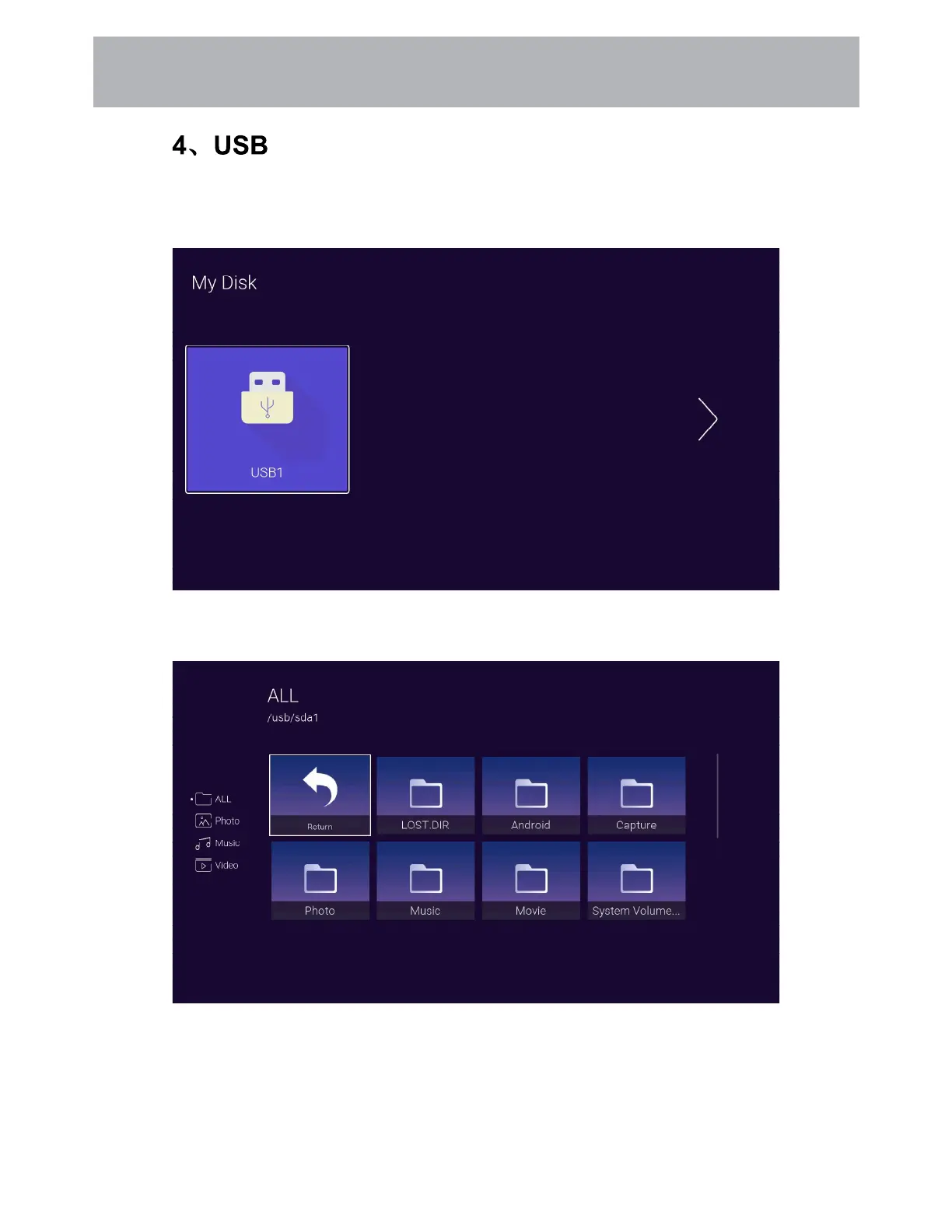
Press the [Left and right] button Select the inserted USB flash device,press the [OK] button to
enter the following page
Press the [Left and right] buttons can be selected ALL, Photo, Music, Video options, press the
[OK] button to select the file type, "Return" box to press [OK] to return to the previous directory,
select a file press the [OK] button to enter the video file.
Insert the USB flash drive and press the [OK] button in the USB menu of the input source page to
enter the Media menu.
28
Customizing TV Settings



 To Next Page