OTHER FUNCTIONS
CONNECTION CHECK
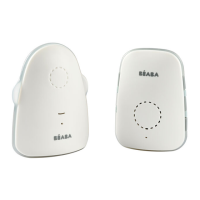
Parent unit
• As soon as and for as long as the parent unit and baby unit are in contact
with each other, the green ON / OFF light is continuously on the parent unit
will remain lit.
• As soon as the parent unit gets out of range from the baby unit (or the baby
unit is switched off or malfunctions), this green indicator will start flashing
while the unit emits a beep tone every 1.5 second.
• As soon as the cause for the out-of-range notification has been resolved,
the connection indicator will become green continuously and the beep
tones will no longer be emitted.
• Also when the units are first switched on, the connection indicator will start
flashing at first. The parent unit is now ‘searching’ for the baby unit. As soon
as the baby unit is ‘found’, the indicator will become steady green.
Baby-unit
When the connection between the parent unit and baby unit is lost, the
power indicator at the baby unit will start flashing. However, no beep tones
are emitted.
PARENT UNIT BATTERY INDICATION
When the batteries are running empty a specific sound is emitted evey 15s
and a RED light will start flashing to remind you to plug the parent unit or
change batteries
LED status
Parent unit
FLASHING STEADY
GREEN
(signal)
Baby unit is powered OFF
or out of range, come back
closer or have a look at the
Baby unit to turn it ON.
BABY and PARENT are
connected and the unit is
working well.
RED
(battery)
Battery is charging: the RED
LED will turn OFF when
batteries are full. You can
also keep using the parent
unit while charging.
Low battery: you should get
a USB adapter ready soon
to continue monitoring.
GENERAL (SAFETY) INSTRUCTIONS AND TIPS
GENERAL
Before every use, always check whether the baby intercom is functioning
correctly. In addition to checking the MINICALL intercom’s range and
connection, it’s recommended to check its connection by ear while in use.
Only use the baby intercom as an additional peace of mind, it can never serve
as a replacement for an adult or human and baby sitter.
The MINICALL may not be used for anything else besides detecting sounds
within your own private surroundings; any person located in the room that’s
being listened to must be informed about the baby intercom being used.
You are not required to have a license for the use of this baby intercom.
The system can be freely applied in any domestic situation. However, an
interference-free signal transmission cannot always be guaranteed.
In case the units is not being used, please always turn the device off using
the power button.
TO AVOID THE RISK OF SUFFOCATION, IT’S ESSENTIAL TO MAKE SURE
THE BABY CAN NEVER REACH THE ADAPTOR CABLE.
MAINTENANCE
Only clean the baby monitor with a moist cloth; never use chemical cleaners.
Before any cleaning, you must disconnect the adapters. Before cleaning, any
connected power adaptors must be disconnected.
PROBLEMS – REPAIR WORK
NOTE: This equipment has been tested and found to comply with the limits
for a Class B digital device, pursuant to Part 15 of the FCC Rules. These limits
are designed to provide reasonable protection against harmful interference
in a residential installation. This equipment generates, uses and can radiate
radio frequency energy and, if not installed and used in accordance with the
instructions, may cause harmful interference to radio communications.
However, there is no guarantee that interference will not occur in a particular
installation. If this equipment does cause harmful interference to radio or
television reception, which can be determined by turning the equipment off
and on, the user is encouraged to try to correct the interference by one or
more of the following measures:
No power on indicator
light
• Reorient or relocate the receiving antenna
• Increase the separation between the
equipment and receiver
• Connect the equipment into an outlet on
a circuit different from that to which the
receiver is connected
• Consult the dealer or an experienced radio/
TV technician for help
• Check the adapter connections
• Check the state of the batteries
• Press Power button for 3s
Green LEDs lit:
no sound transmission
• Check the position of the volume
• Check the state of the batteries
Reception too poor,
interference
• Check the state of the batteries
• Bring the units close together
• Increase the volume
• Move the receiver away from any working
electrical appliances
Whistling
• Reduce the volume
• Move the receiver away from the transmitter


 To Next Page
 Loading...