17
2. The functions
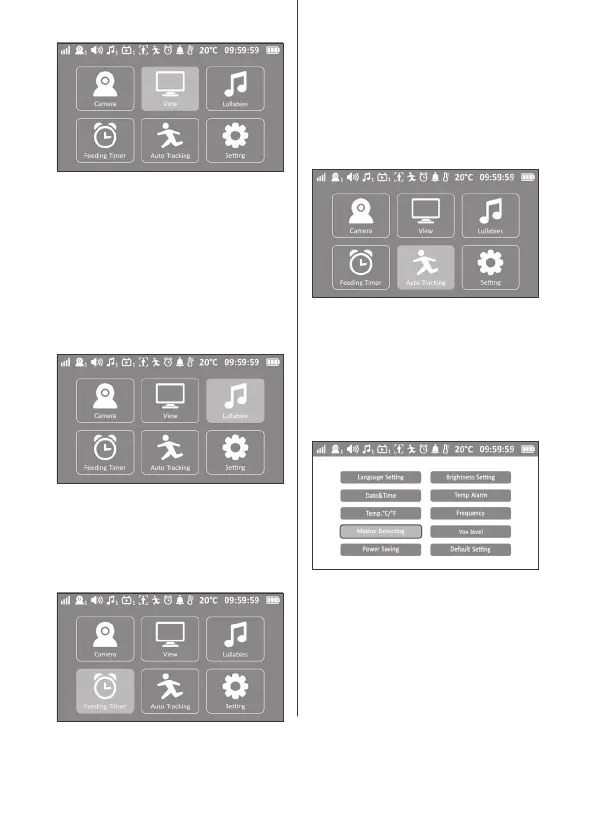
• Lullabies
Press the MENU button - Select the Lullaby
icon - press on the «OK» button - then choose
a melody from the selection list. The melody
starts automatically when you choose one;
if all are chosen, they automatically play one
after the other.
• Automatic motion tracking
Press the MENU button - Select the
automatic motion tracking icon - Press «ON/
OFF» to activate or deactivate the function
- After selecting the ON button, the camera
automatically moves by following baby’s
movements.
• Mealtime timer
Press the MENU button - Select the Mealtime
Timer icon - press the «OK» button - choose
the reminder time for feeding your baby.
• Alert
To activate a movement alert, go to the
«Movement detector» and press on «ON».
When movement is detected, a beep sounds
on the Parental Unit. Click on «OFF» to
deactivate.


 To Next Page