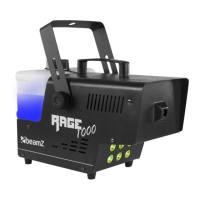
The checklist below may help you troubleshoot in the unlikely event that a problem occurs while using the product:
Check that power is turned on.
Check cables and connections.
Fuse blown or internal fault.
Replace mean fuse or contact Beamz support
or Beamz authorized service partner. Do not
remove base or yoke covers. Do not attempt to
replace a fuse or carry out any repairs or service
that are not described in this User Manual
unless you have both authorization from Beamz
support or Beamz authorized service partner.
Light output cuts out intermittently.
Allow unit to cool. Reduce ambient
temperature. Ensure free airflow around unit.
Clean unit if necessary.
Disconnect unit and contact Beamz support or
Beamz authorized service partner.
The power supply settings do not
match local AC voltage and
frequency.
Disconnect unit. Check settings and
correct if necessary.



 To Next Page