22 English
5. Commissioning
1. Take the product out of the package and remove all the packaging material.
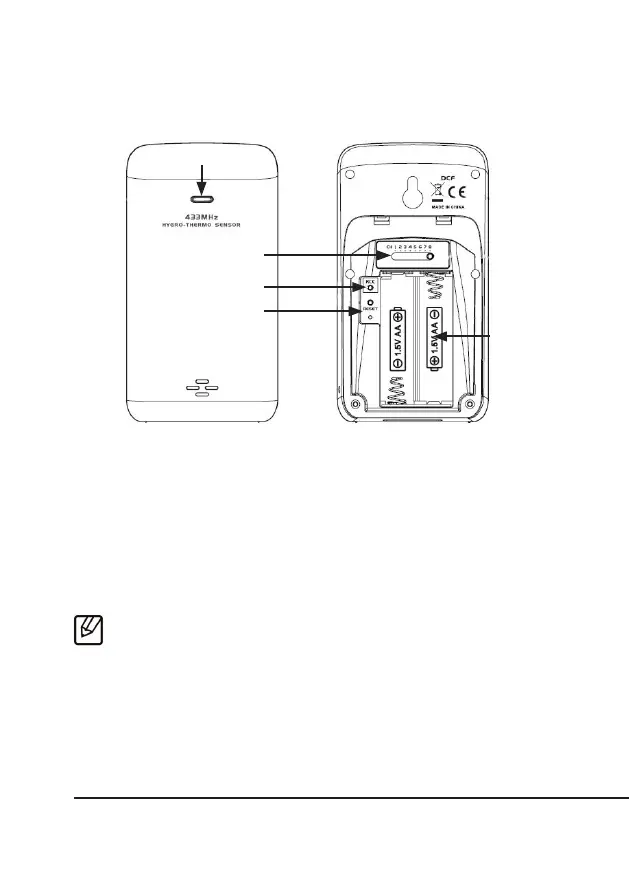
Open the baery compartment of the outdoor sensor and insert two 1.5V
AA baeries. Pay aenon to the correct polarity of the contacts.
2. Open the baery compartment on the weather staon and insert three 1.5V
AAA baeries. Pay aenon to the correct polarity of the contacts. Alter-
nately, connect the provided 5V DC coaxial power adapter to the weather
staon.
3. For this purpose, connect the power adapter to a properly installed socket.
Note: If the weather staon is used only with 1.5V AAA baeries, the back-
light is not permanently switched on. Press the "ALARM/SNOOZE" buon to
briey turn on the backlight.
Status LED
"Channel" switch
Baery
compart-
ment
"Reset"
buon
"RCC" buon



 To Next Page