23English
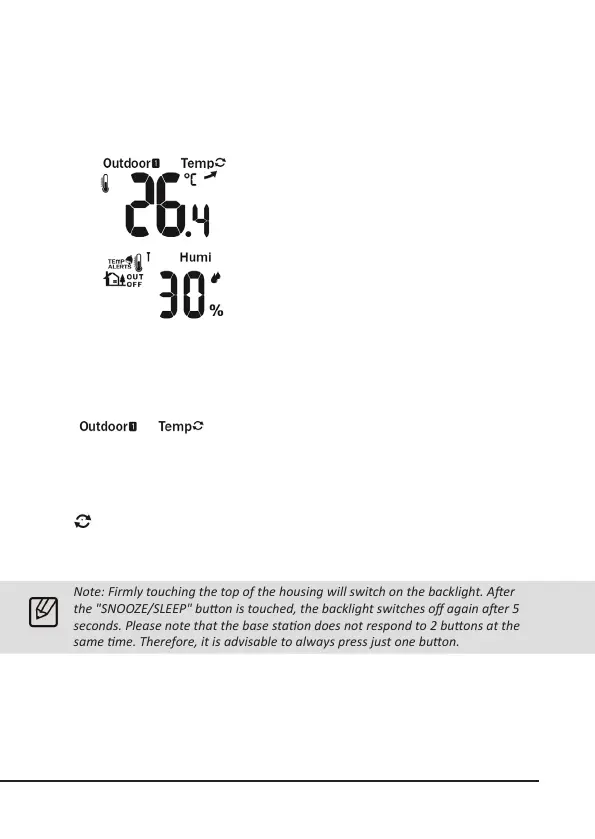
Outdoor temperature display:
The outdoor temperature is measured by the
outdoor sensor and shown to an accuracy of
one tenth of a degree. The congured tempera-
ture unit is displayed to the right of the reading.
The temperature unit can be changed between
°C and °F. To do this, press the "SET" buon on
the weather staon.
This display shows the current air humidity
experienced by the weather staon.
Channel display
The weather staon receives the signal of the outdoor
sensor automacally aer all sengs have been
congured. You can switch between the dierent
channels using the "Channel" buon. The channels
of the outdoor sensor can be selected on the sensor
directly using a toggle switch.
1, 2, 3: Outdoor sensor channel
: Automac channel change aer 4 seconds
8. Basic sengs
Note: Firmly touching the top of the housing will switch on the backlight. Aer
the "SNOOZE/SLEEP" buon is touched, the backlight switches o again aer 5
seconds. Please note that the base staon does not respond to 2 buons at the
same me. Therefore, it is advisable to always press just one buon.
Press the "Mode" buon briey to display the me and date.To change the basic
sengs, press and hold the "SET" buon unl the me zone starts to ash. With
the "UP" and "DOWN" buons, you can change the values accordingly. Conrm
the sengs by briey pressing the "SET" buon and you can then access the next
seng opon.



 To Next Page