Contents [ hide
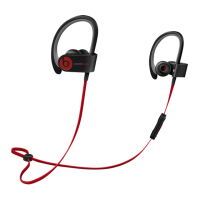
1 Powerbeats3 Wireless
1.1 TURN ON BLUETOOTH®
1.2 CONNECT POWERBEATS3 WIRELESS
1.3 START LISTENING
1.4 USE WITH YOUR OTHER APPLE DEVICES
1.5 REMOTETALK CONTROLS
1.6 WIRELESS SETUP FOR OTHER DEVICES*
1.7 EARTIPS FOR OPTIMAL SOUND
1.8 SECURE-FIT EARHOOKS FOR STABILITY
1.9 CHARGE
2 Related Manuals:
Powerbeats3 Wireless
To connect to iPhone with iOS 10 or later follow steps 1–3.
For all other devices see the back of this guide.
Для подключения к iPhone на базе iOS 10 и выше выполните шаги 1–3.
Подключение к другим устройствам описано на оборотной стороне данного
Руководства.
iOS 10 veya daha yeni bir sürümün yüklü olduğu bir iPhone’a bağlanmak için
1–3 arası adımları izleyin. Tüm diğer aygıtlar için bu kılavuzun arkasına bakın.
TURN ON BLUETOOTH®
wipe up from the bottom of the screen and tap the Bluetooth icon.
Проведите пальцем по экрану снизу вверх и нажмите на пиктограмму Bluetooth.
Ekranın altından yukarı doğru kaydırın ve Bluetooth simgesine dokunun.



 To Next Page