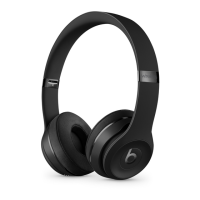
5. Check how much charge your headphones have
To check the battery level, make sure your headphones are turned on, then tap the power
button on your headphones and watch the five Fuel Gauge lights on the right earcup.
6. Use your headphones
Learn how to play music, change the volume, use Siri, answer calls, and cancel noise.
Play
Use the b button on the left earcup, or use the center button on the RemoteTalk cable in
wired mode.
o To pause or play a track, press once.
o To skip to the next track, press twice. To skip backward, press three times.
o To scan forward through a track, press twice and hold on the second press. To
scan backward through a track, press three times and hold on the third press.
Change the volume
To control the playback volume or call volume, use the volume buttons above and below
the b button on the left earcup. Or you can use the volume buttons on the RemoteTalk
cable.



 To Next Page