3. Go to the Bluetooth settings on your device. For example, on your Mac, click the
Bluetooth icon in the menu bar.
4. Select your headphones from the list of Bluetooth devices. If you don't see your
headphones in the list, press and hold the power button on your headphones for 5
seconds.
4. Charge your headphones
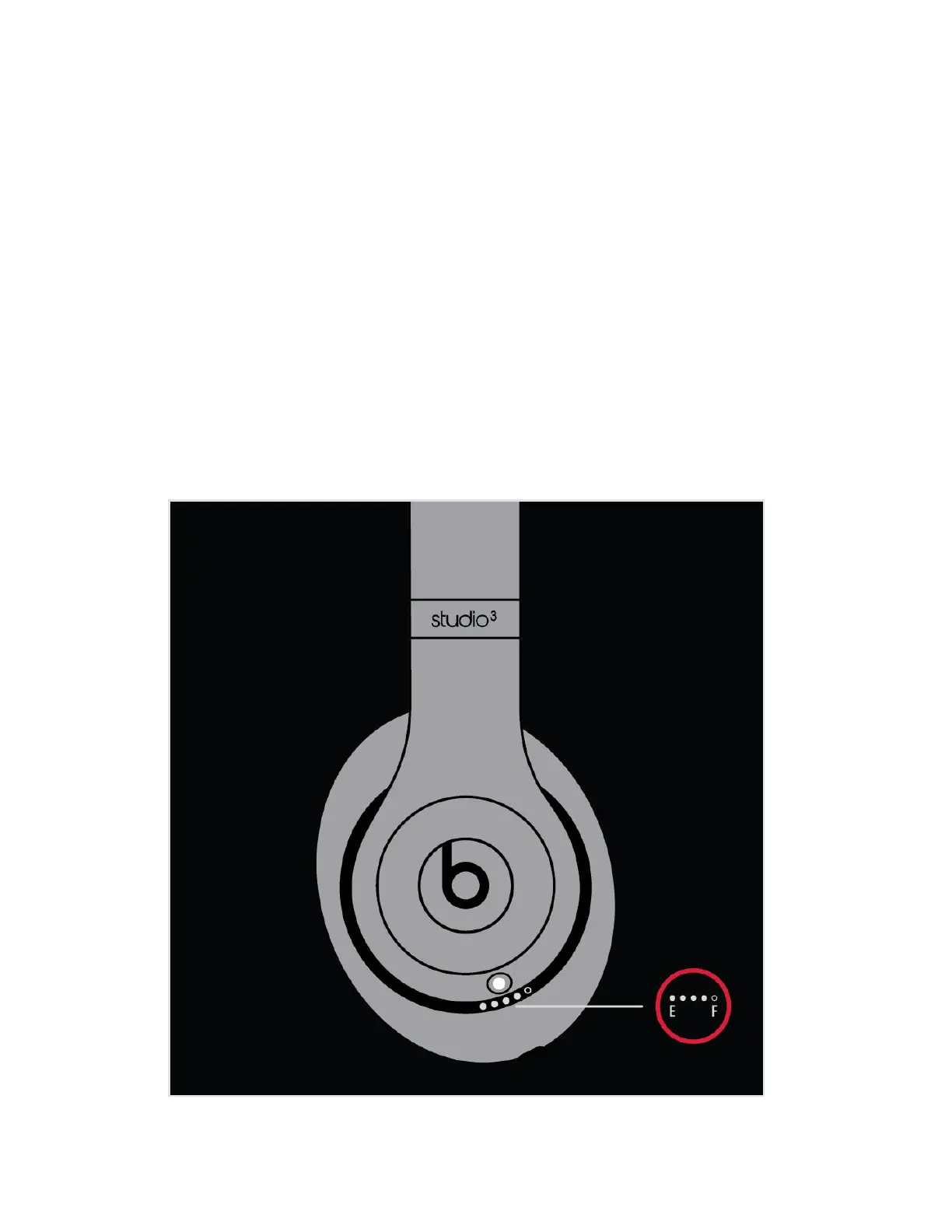
Plug your headphones into a power source using the included micro USB cable. As the
headphones charge, the five Fuel Gauge lights flash. When your headphones are fully
charged, all five lights remain lit.
Your headphones provide up to 22 hours of playback from 90 minutes of charging, and
up to 40 hours when you turn off Pure ANC. And with Fast Fuel, your headphones
provide up to 3 hours of playback from a 10-minute charge.


 To Next Page