To answer a second incoming call and put the first call on hold, press once. When two calls
are active, this switches between calls.
To reject an incoming call, press and hold for 1 second.
To stop listening through your headphones and send the call to the phone, press twice.
Ask Siri
To activate Siri on your iOS device or the voice-command feature on another device, use the
b button on the left earcup or use the center button on the RemoteTalk cable. Press and hold
until you hear a chime, then say what you need.
Siri features might vary by country or region.
Turn Pure ANC on or off
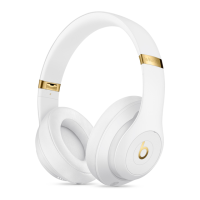
Pure ANC turns on each time you turn on your Beats Studio
3
Wireless, reducing external
noise during playback. To turn Pure ANC on or off, double-press the power button while
your headphones are connected to your device.
Update
If you pair your headphones with an iPhone that uses iOS 11 or later, your headphones
automatically update to the latest firmware.
If your headphones aren't paired with an iPhone that uses iOS 11 or later, you can use the
Beats firmware updater.
Learn more
Read about Pure ANC (Pure Adaptive Noise Cancelation).
Sound troubleshooting–headphones and earphones
Having trouble with your audio? Find answers here.
Snapping, crackling, popping, or no audio on one side


 To Next Page