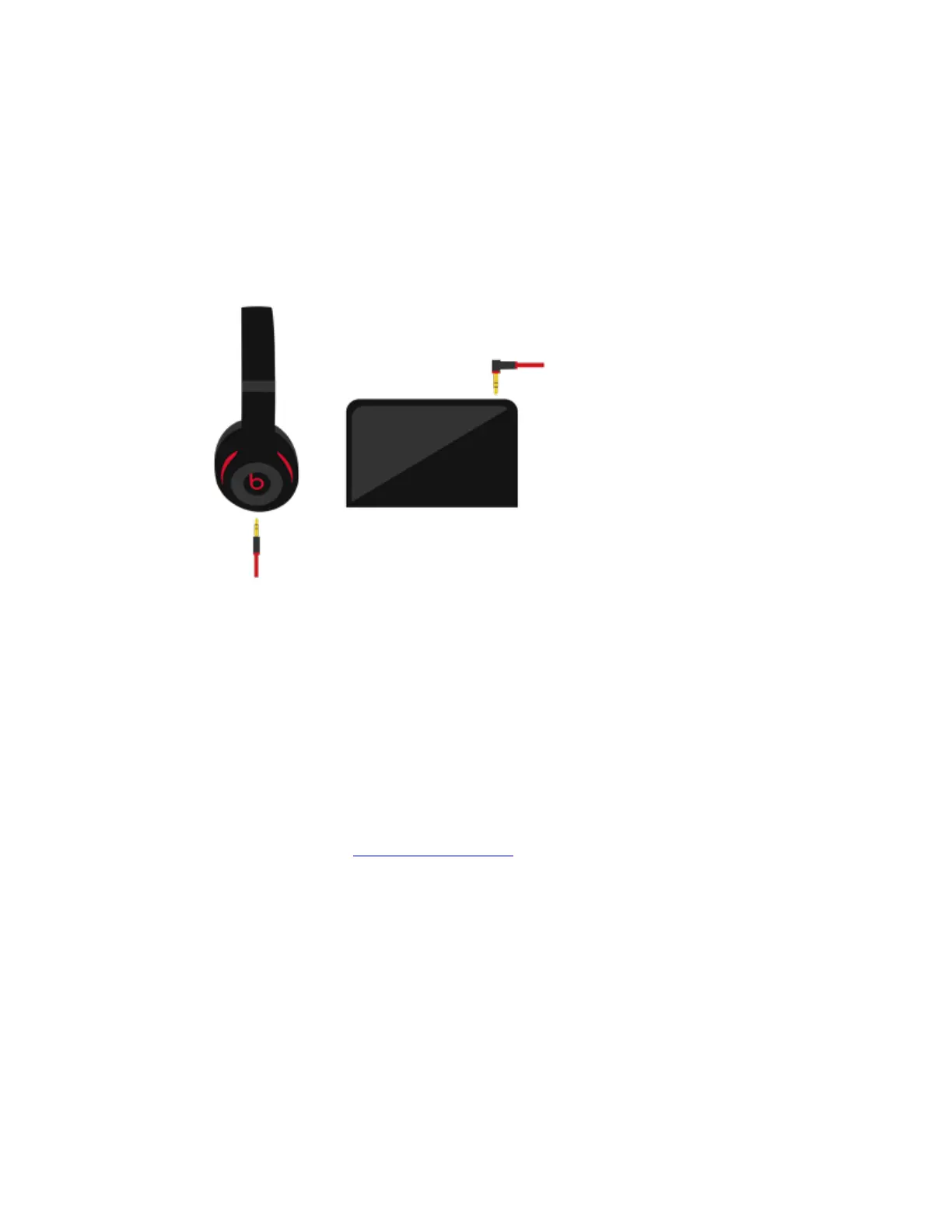
Make sure the 3.5 mm audio jack is fully plugged in. The straight input connects to your
headset, and the L-shaped input connects to your audio device.
Check that your audio source is on and working.
If your audio source is a computer or laptop, try adjusting the configuration settings.
If you still hear distorted sound, try a different audio source and an alternate cable.
Volume too high
Turn the source volume down.
Phone not responding to button presses
Make sure that the headset plug is securely connected. For multi-press functions, vary the
speed of presses when you use the remote/mic.
Compatibility issues
Remember to install the latest software updates on your device. The inline remote/mic may
have limited functionality with devices that don’t run iOS.
Microphone does not pick up sound


 To Next Page