30
Troubleshooting
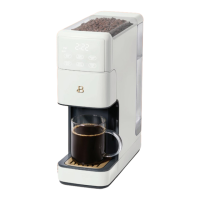
MY PERFECT GRIND™ COFFEE MAKER STOPPED WORKING
• Check to ensure the unit is properly plugged in
• Make sure the water reservoir is lled past the min line and
under the max line
• Make sure there are enough coffee beans in the bean hopper
NOTE: Never ll with more than 180g/6oz of coffee beans
(approximately half a standard size bag of coffee beans)
• Clean the grinder door / grinder channel – refer to page 27
of the instruction manual
• Grinder auto clean – refer to page 27 of the instruction manual
• Descale the coffee maker – refer to page 25 of the instruction manual
• Be sure to descale the unit when the clean icon appears on your screen
for optimal performance or as needed
MY PERFECT GRIND™ COFFEE MAKER NO LONGER GRINDS COFFEE BEANS / IS CLOGGED
• Make sure there are enough coffee beans in the bean hopper
Note: Never ll with more than 180g/6oz of coffee beans
(approximately half a standard size bag of coffee beans)
• Clean the grinder door / grinder channel – refer to page 27
of the instruction manual
• Grinder Auto Clean – refer to page 27 of the instruction manual
MY PERFECT GRIND™ GRINDER DOOR IS JAMMED
• Clean the grinder door / grinder channel – refer to page 27
of the instruction manual
MY COFFEE ISN’T STRONG ENOUGH / MY COFFEE TASTES TOO WEAK?
• Press BOLD/OVER ICE for a more robust brew
• Always use freshly roasted coffee beans for optimal strength & avor
• Make sure the cover of the permanent gold tone lter basket is
securely in place
• Clean the grinder door / grinder channel – refer to page 27
of the instruction manual
19332_19333_19334_19335_19432_19433_BTFL WMUS_PerfectGrind Single Serve CM_IM_V21_R9.indd 3019332_19333_19334_19335_19432_19433_BTFL WMUS_PerfectGrind Single Serve CM_IM_V21_R9.indd 30 2023-11-02 9:51 AM2023-11-02 9:51 AM


 To Next Page