26
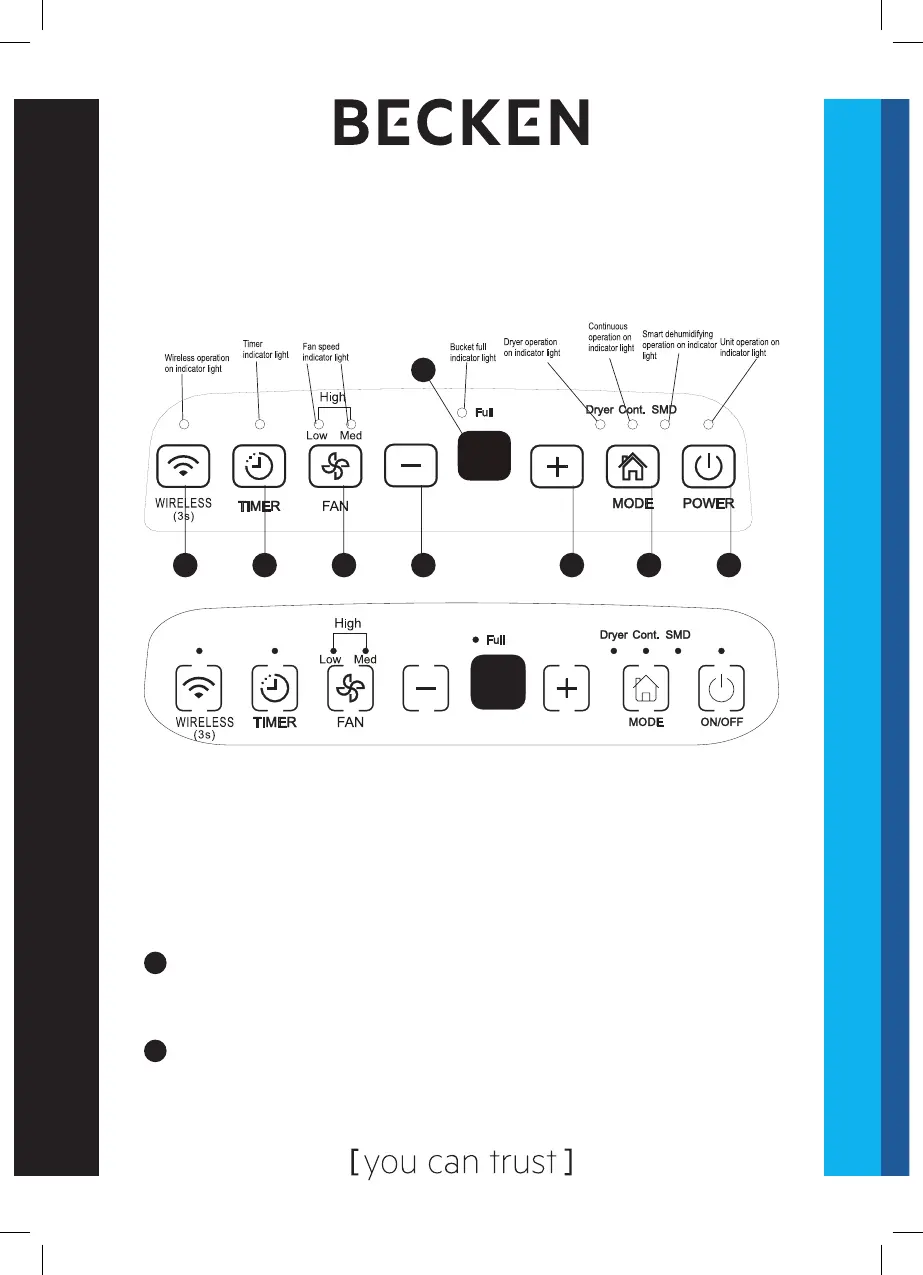
Control Panel
NOTE: the control panel of the unit you purchased may be slightly
dierent according to the models.
Fig. 1
7 6 5 4 3 2 1
8
Control buttons
When pushing a button to change operation modes, the dehumidier
will beep to indicate that it is changing modes.
1
Power Press to turn the dehumidier on and o.
NOTE: when the compressor starts or stops running, the unit may make a loud
noise, which is normal.
2
Press to select the desired operation mode between Dehumidifying, Dryer,
Continuous dehumidifying and Smart dehumidifying.
NOTE: Dryer and Smart dehumidifying modes are optional.


 To Next Page