13
EN
Mini Oven | Mini Horno | Mini Forno
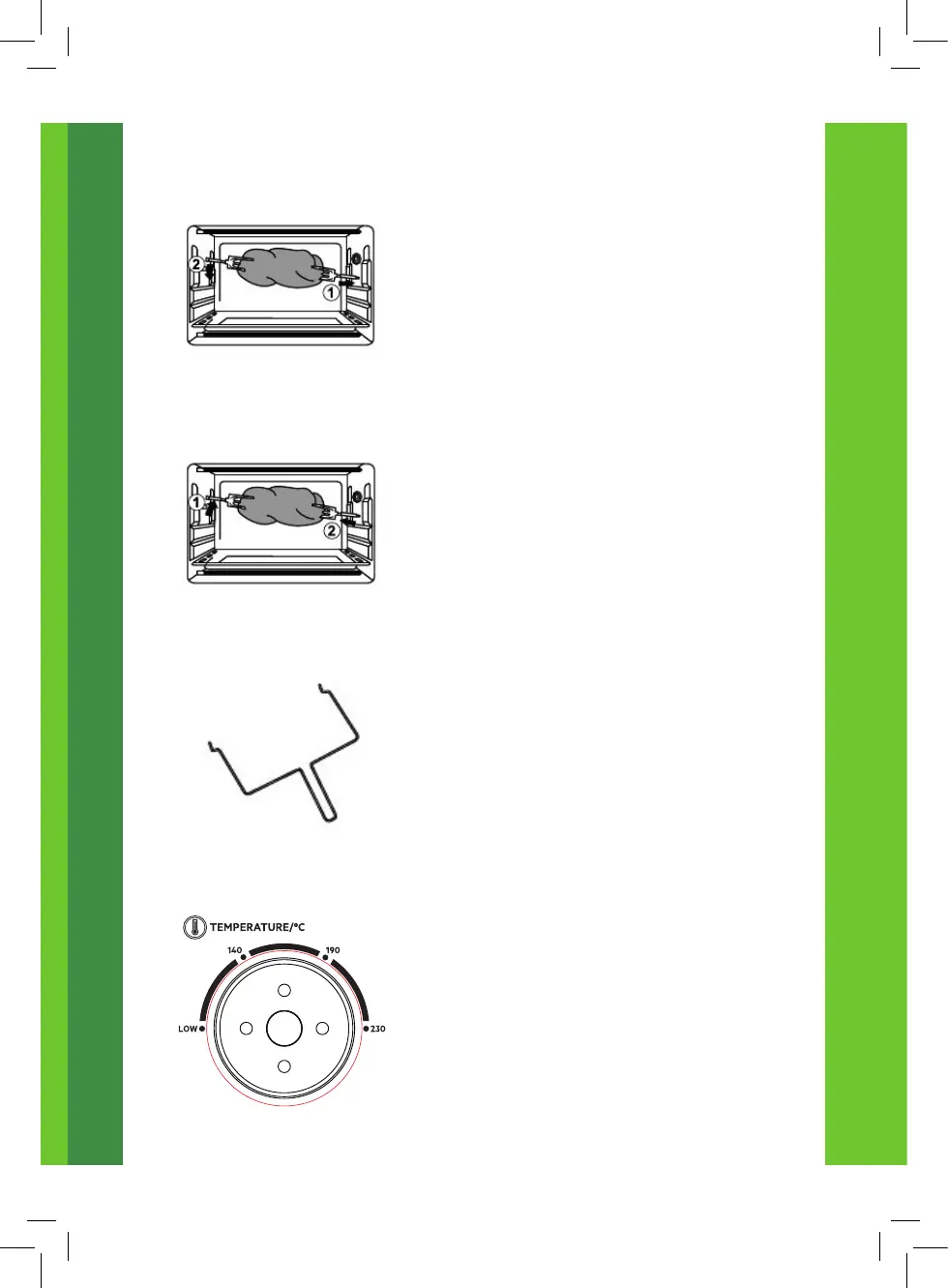
Install Rotisserie Set
• Setup the rotisserie set and install it
by placing both ends of the rod in the
support holes, and place the baking tray
in the oven.
Remove Rotisserie Forks
• Use the rotisserie handle to remove the
rotisserie forks from the food before
removing the rod from the support holes
and the baking tray from the oven.
CAUTION: Beware of HOT dripping fat!
Rotisserie Handle
Please always use the rotisserie handle to
remove the rotisserie forks.
Temperature Control
• Turn the temperature control knob
clockwise to select the suitable
temperature according to the dishes you
are going to cook. (Temperature Control
ranging from LOW to 230ºC)


 To Next Page