EasyManua.ls Logo

Bedford B800 Series - User Manual

Bedford B800 Series
32 pages
Print Icon
To Next Page IconTo Next Page
Loading...
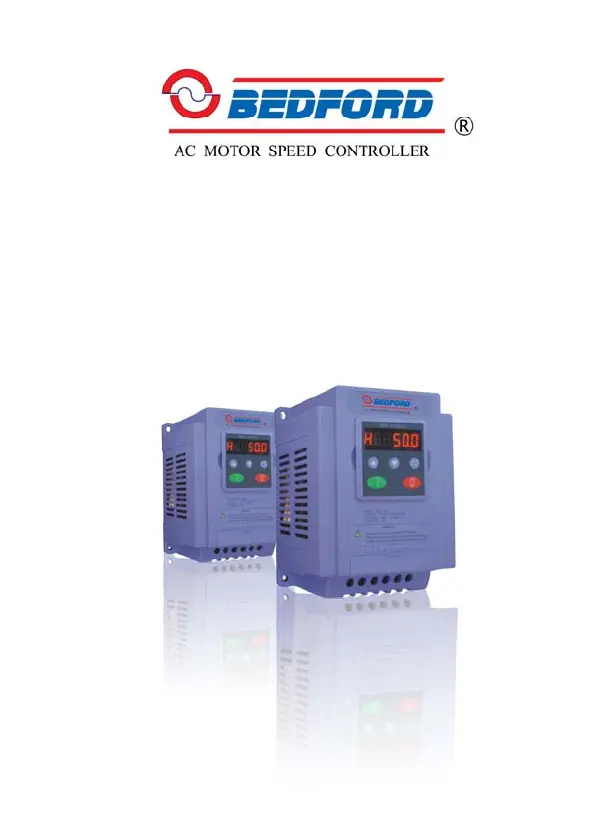
B800 Series
Frequency Inverter
BEDFORD (QUANZHOU) ELECTRONIC CO., LTD

Questions and Answers

  • X
    Xavier PetersonAug 15, 2025
    What to do if my Bedford DC Drive shows O-C?
    • M
      mmitchellAug 16, 2025
      If your Bedford DC Drive displays an O-C error, it indicates an overcurrent situation. This could be due to several reasons: * If the motor is running at a constant speed, there might be an overload or malfunction. * If the motor is starting, the load could be stalled or jammed. * If the motor is accelerating or decelerating, the accel/decel time might be too short. * Check for star-delta motor wiring error.
  • A
    april04Aug 18, 2025
    What does PS-FIt mean on my Bedford DC Drives and how to fix it?
    • B
      Barbara HamiltonAug 19, 2025
      If your Bedford DC Drive displays a PS-FIt error, consider the following checks: 1. Inspect the motor wiring for phase-to-phase or phase-to-earth short circuits. 2. Evaluate the drive's ambient temperature to determine if additional space or cooling is required. 3. Verify that the drive is not being forced into an overload condition.
  • D
    David HollandAug 22, 2025
    What to do if my Bedford DC Drive shows U-Volt?
    • B
      barry72Aug 22, 2025
      A U-Volt error on your Bedford DC Drive can occur in two situations: 1. It routinely appears when the power is switched off. 2. If it occurs while the drive is running, check the power supply voltage.
  • R
    Richard MooreAug 25, 2025
    What to do if my Bedford DC Drive shows O-Volt?
    • C
      carrie88Aug 26, 2025
      If your Bedford DC Drive displays an O-Volt error, try the following: 1. Increase the deceleration ramp time (F-04). 2. Mount braking units and a resistor.
  • D
    Dr. Susan HarveyAug 28, 2025
    What to do if my Bedford DC Drive shows OH-trp?
    • A
      Amanda MartinAug 28, 2025
      If your Bedford DC Drive displays an OH-trp error, check the drive's ambient temperature. Determine whether additional space or cooling is needed.
  • D
    Duane ClayAug 31, 2025
    What to do if Bedford DC Drive shows OL-trp?
    • D
      Debbie GordonAug 31, 2025
      If your Bedford DC Drive displays an OL-trp error, check the driven machine. The drive may be too small for the load.
  • T
    Tiffany BrownSep 2, 2025
    How to resolve OC-brt error on Bedford DC Drives?
    • A
      alexandergomezSep 2, 2025
      To resolve an OC-brt error on your Bedford DC Drive, first check the cable. If the cable is okay, check if the resistor burned out.
  • P
    philip84Sep 6, 2025
    How to resolve OL-brt error on Bedford B800 DC Drives?
    • A
      Abigail GarnerSep 6, 2025
      To address an OL-brt error on your Bedford DC Drive, increase the deceleration time (F-04) or reduce the braking resistor value.
  • K
    kathleen23Sep 8, 2025
    What does Ai-Err mean on Bedford DC Drives?
    • J
      Jeffrey LoveSep 8, 2025
      If your Bedford DC Drive displays an Ai-Err error, check that the input current is within the range defined by F-16.
  • B
    brandondunnSep 12, 2025
    What does P-SET mean on my Bedford DC Drive?
    • M
      Monique LambertSep 12, 2025
      If your Bedford DC Drive displays P-SET, press the STOP key to confirm and enter parameter values.

Summary

Safe Operation and Warnings

Critical Danger Warnings

Essential safety instructions highlighting risks of casualty from misuse.

Important Notice Warnings

Key safety instructions emphasizing potential damage to equipment from misuse.

Inspection and Model Information

Pre-Installation Inspection Checklist

Steps to verify inverter condition and warranty upon purchase.

Understanding the Model Number

Detailed explanation of the components within the product model number.

Inverter Installation Procedures

Exterior Dimensions and Mounting

Physical dimensions (H, W, D) for different inverter models and power ratings.

Optimal Operating Environment Conditions

Installation Handling and Safety Precautions

Wiring and Electrical Connections

Inverter Terminal Connection Diagram

Illustrates the schematic for connecting power, motor, and control signals.

Operational Notes and Safety Precautions

Keyboard Control Interface

LCD Display and Keypad Overview

Description of the inverter's digital display and the purpose of each control button.

Keypad Parameter Navigation and Modification

Inverter Test and Operation Modes

Optimizing Performance with Core Functions

Explanation of essential parameters like frequency limits, acceleration/deceleration times, and stop modes.

Keyboard and Terminal Operation Modes

Basic Keyboard Operation Mode

Step-by-step guide for running the motor forward and backward using the keypad.

Keyboard Control for Motor Direction

How to set up and use keypad controls for motor direction changes.

External Terminal Control Configuration

How to control the inverter using external switches and a potentiometer.

Parameter Management and Saving

Parameter Reset to Factory Defaults

Procedure to restore all inverter settings to their factory defaults.

Parameter Modification Saving Behavior

Explains how parameter changes are saved or retained after power cycling.

Inverter Display and Parameter Reference

LCD Display Symbol Glossary

Glossary of symbols displayed on the inverter's LCD screen.

Standard Parameter List and Default Values

Comprehensive list of standard parameters, their ranges, and default values for configuration.

Detailed Standard Parameter Explanations

Fault Diagnosis and Troubleshooting Guide

Initial Fault Recovery Procedures

Initial steps and general advice for addressing detected faults.

Troubleshooting Common Fault Codes

Table listing common fault codes, their causes, and corrective actions.

BEDFORD B800 200 V Series Specifications

BEDFORD B800 380 V Series Specifications

Bedford B800 Series Specifications

General IconGeneral
BrandBedford
ModelB800 Series
CategoryDC Drives
LanguageEnglish

Related product manuals