7
UK
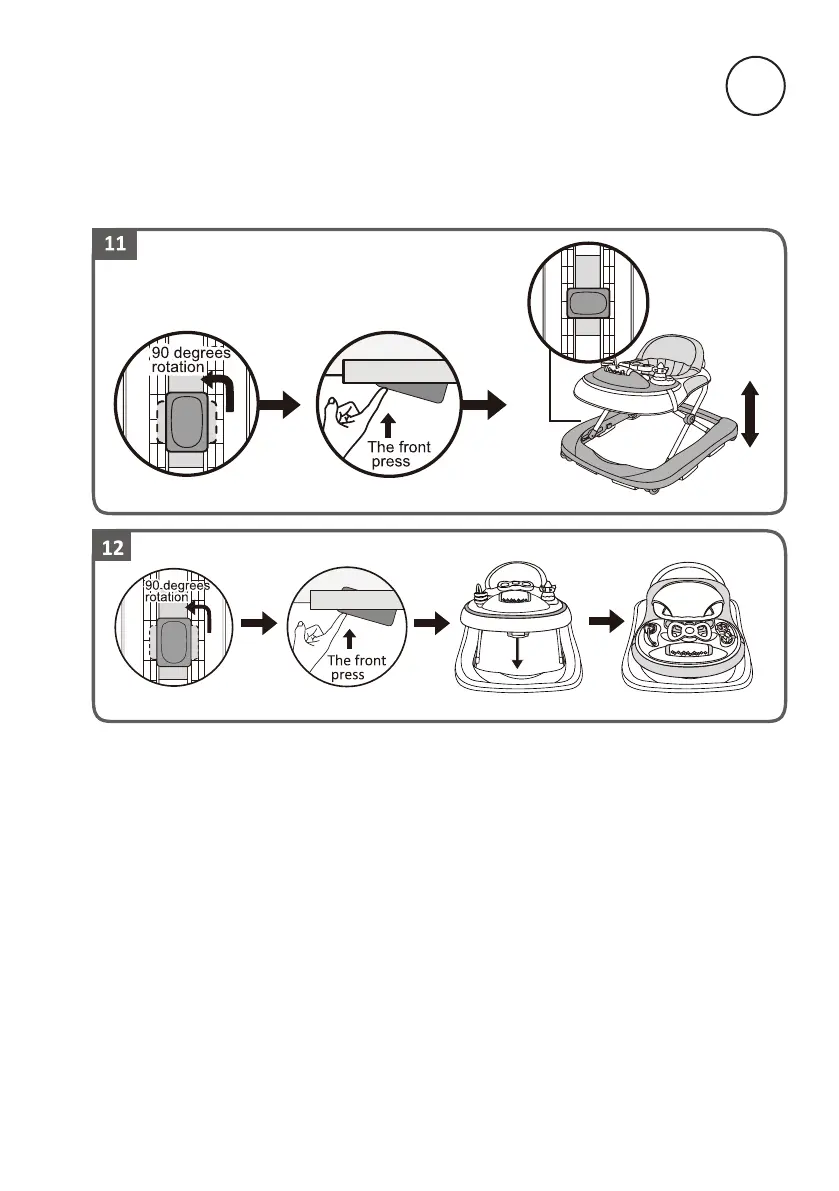
HOW TO ADJUST THE HEIGHT OF BABY WALKER FRAME
To adjust the seat's height, remove the child from the baby walking frame, pull up the
safe button located under the small tray table and rotate it to 90 degrees. Keep the
safe button pressed, then raise or lower the small table until the desired position is
reached, then pull up the safe button and rotate it to 90 degree again to lock the small
table. (If it is an automatic secondary lock, please make sure the lock rotated to 90
degrees)
HOW TO FOLD THE WALKER
Press the button as picture shows, meanwhile pull down the upper tray to the end, the
frame folds up completely



 To Next Page