9
uvOxy
®
200 SANITIZING CARTRIDGE REPLACEMENT
For the correct operation of SanicaAria, the Sanitization Cartridge must be replaced every 12 months of operation, and
in any case when the device signals this.
To maintain the effectiveness of sanitation, as well as ensure the total absence of ozone emissions harmful to people’s
health, use only original uvOxy
®
Beghelli cartridges, also available online (www.beghelli.it/store)
The failure of one of the two uvOxy
®
cartridges is immediately notied by turning on the RED LED, sending a message
to the DOM-E App and lighting up an icon on the Air Sanitizer App. In the event of a single cartridge failure, the sanitizer
continues to operate with reduced effectiveness. When both cartridges are faulty, in addition to the previous notications,
the sanitizer switches off the fan and activates a continuous periodic acoustic signal: 3 beeps every 30 minutes.
Both cartridges must ALWAYS be replaced even if the reported fault is related to the single cartridge.
Before proceeding with the cartridge replacement, disconnect the device from the power supply
- Open the door of the device
- Unscrew the 2 safety screws
- Slide the cover to remove it from the catch, then pull it out
- Unscrew the safety screws and replace the cartridges only with original uvOxy
®
Beghelli spare parts (code 26721)
- Put the cover back on, tighten the two screws and close the device door
The device can be controlled via Bluetooth
®
locally with the SanicaAria App and, at the same time, it can also
be controlled remotely via WiFi with the DOM-E Beghelli App.
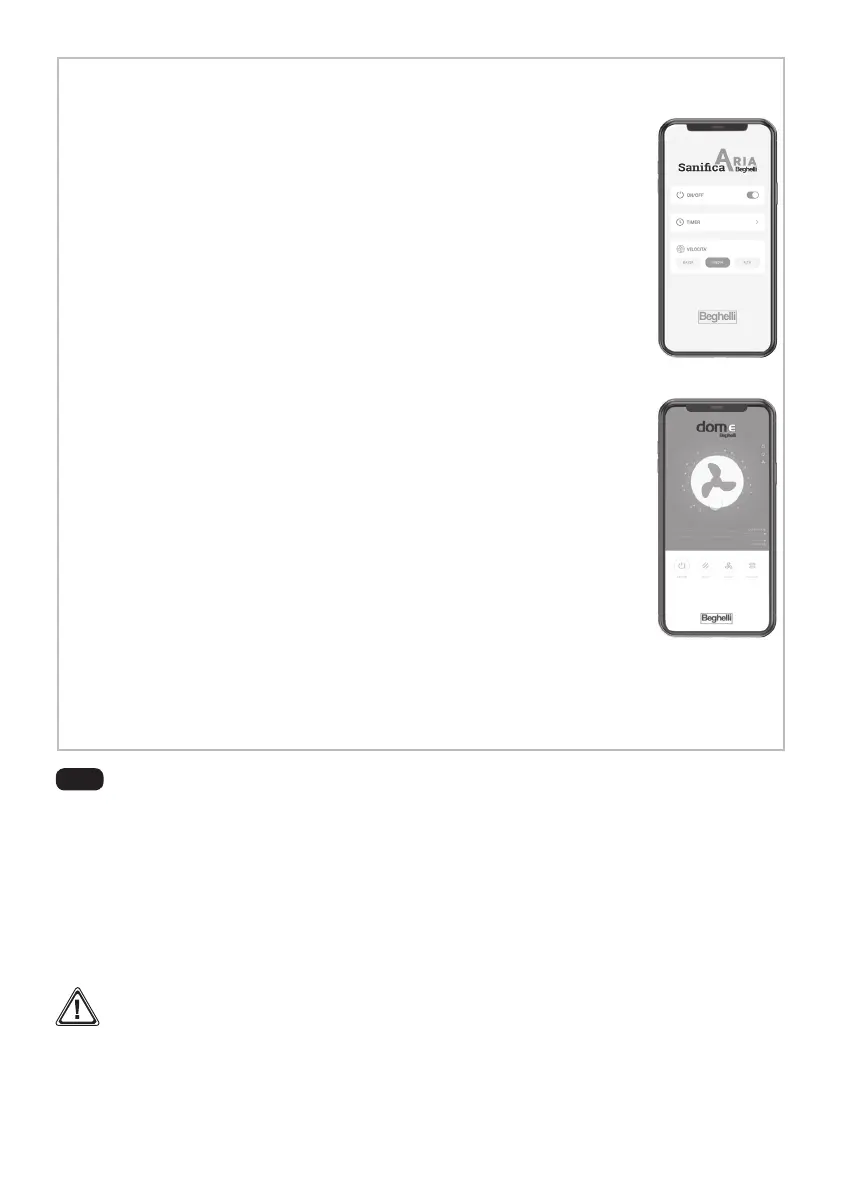
USING THE APP DOM-E Beghelli:
The device can be controlled (on / off) and adjusted remotely (3 fan speeds and on / off
timer) via the DOM-E Beghelli App. For this use, the sanitizer must be connected to a
2.4GHz WiFi:
- download the DOM-E Beghelli App (available on the App Store and Google Play) and
activate it;
- add the new SanicaAria 200 device to the App using the “+” icon
- follow the instructions on the App for connecting and conguring the WiFi connection
- when requested by the App, press the ON / OFF button of the device for at least 6
seconds; a rapid sequence of “beeps” and the ashing of the LED highlights the con-
nection phase in progress. At the end of the process, after about 2 minutes, the LED
signals normal operation or any anomaly. If necessary, repeat the connection / con-
guration.
In the event of a power failure, any timer congurations set through the DOM-E App are kept by the cloud
system and do not need to be reset.
Note: The timer set with the SanicaAria App and the DOM-E App do not synchronize with each other. It is
recommended to use only one of the two timer modes to avoid confusion.
D
USING THE APP SanicaAria Beghelli:
The device can be switched on / off and the fan speed and the on / off timer can be
adjusted via the Beghelli SanicaAria App.
The smartphone connects to the device via Bluetooth
®
:
- download the SanicaAria Beghelli App (available on the App Store and Google Play)
and activate it (no need to register, the App works like a simple remote control);
- approach the device, within a range of about 2 meters; as soon as the sanitizer recogni-
zes the presence of the smartphone, the App menu is activated, the sanitizer LED turns
BLUE and the remote control is functional. The Bluetooth
®
connection remains active
as long as the App is in the foreground on the smartphone; afterwards the sanitizer
LED turns white.
In the event of a power failure, the device loses the information set through the App,
including any timer conguration.
The App signals the exhaustion of the cartridge with a specic ICON.


 To Next Page
 Loading...