ON/OFF buon - The electric unicycle can be switched on and off using the ON/OFF buon. When switching on,
hold the wheel in the upright posion.
WARNING! Tilng the unicycle forwards or backwards will cause the wheel to move forwards or backwards
respecvely, maintaining the pedals in a horizontal posion. When sideways, the wheel does not balance itself.
Transport mode - The new bike is in transport mode when packaged. To acvate the transport mode, switch the wheel
on using the ON/OFF buon. Hold down the engine stop buon and press the ON/OFF buon 5 mes. Then switch
the wheel off and on again. The wheel is now in the riding posion (balanced). In the same way, the wheel can be put
back into transport mode later.
Switching off the motor - The motor cut-off buon can be used to switch off the motor, for example when the wheel is
being lied. On a unicycle, there is an automac wheel stop based on the angle of inclinaon if the wheel is lted to the
side by more than 35 degrees. This is designed to make it easier to park the wheel on its side.
Smartphone app - The Begode app can be found in the App Store or Google Play store. It can also be found at
www.begode.com/app. You can also use the DarknessBot IOS App or the EUCWorld Android App.
Calibraon - The balance posion of the pedals can be calibrated using the smartphone app by holding the wheel pedal
in a forward/reverse direcon horizontally or at the desired angle of inclinaon. A new unicycle is calibrated and does
not normally require calibraon. NOTE: During calibraon, the wheel must be vercal to the lateral direcons,
otherwise unwanted pedal li or lowering may occur when turning while riding.
Soware update - Begode connuously updates the firmware of its electric unicycles. New soware can be
downloaded from the official aer-sales service (voltride.com) or via the smartphone app. It is advisable to keep the bike
soware as up-to-date as possible.
Check that all of the items pictured above are included in your scooters package. If any are missing please contact your dealer.
*In some cases the manual is sent in a digital form.
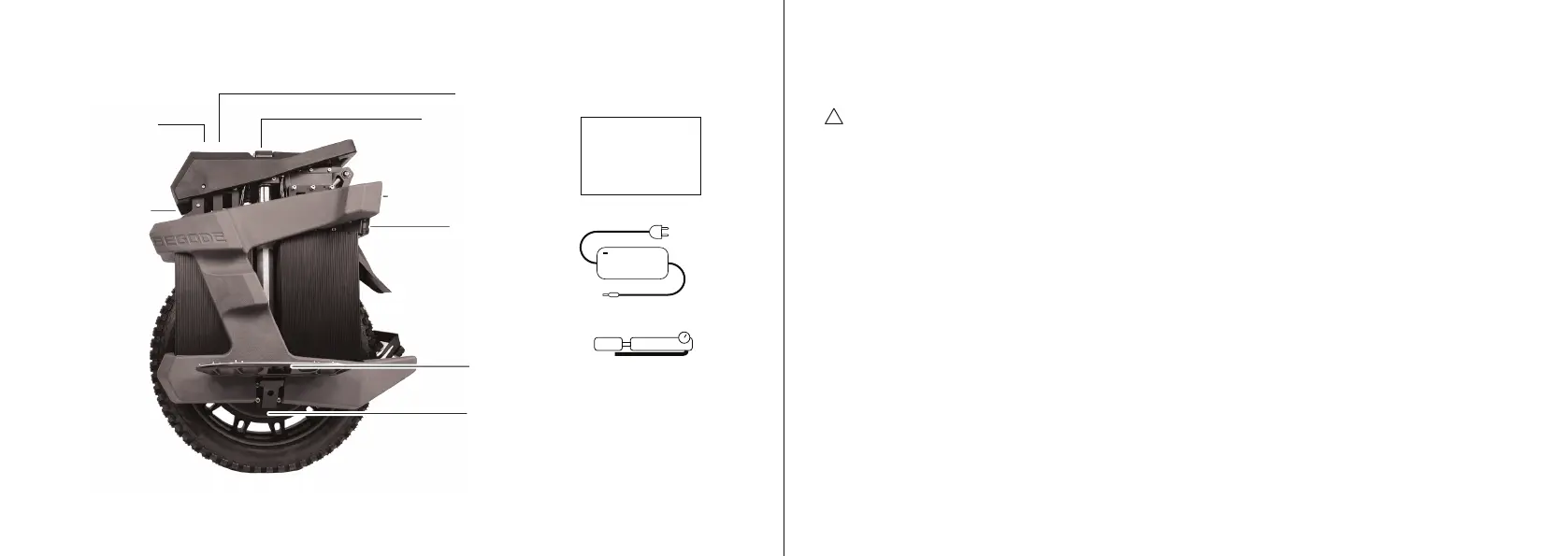
1. Package Contents and Product Diagram
The cardboard package
can be recycled.
Follow your local guidelines
when recycling it.
Save trees - 17 trees are needed
to produce 1 ton of cardboard
User manual*
Begode EX30
Charger
USER MANUAL
2. Sengs and alarms
3 (ENG) 4
!
Motor
Trolley handle
(Charging ports under trolley handle)
Display
ON/OFF buon
and light switch
Front light
Rear light
Shockabsorber valve
Pedal
Suspension pump


 To Next Page
 Loading...